One program for the whole team, each with their own part.
Everyone signs in to the same VetOS and sees what their job needs. Messages, shift handoffs and training happen inside it, so nothing important lives on a sticky note.
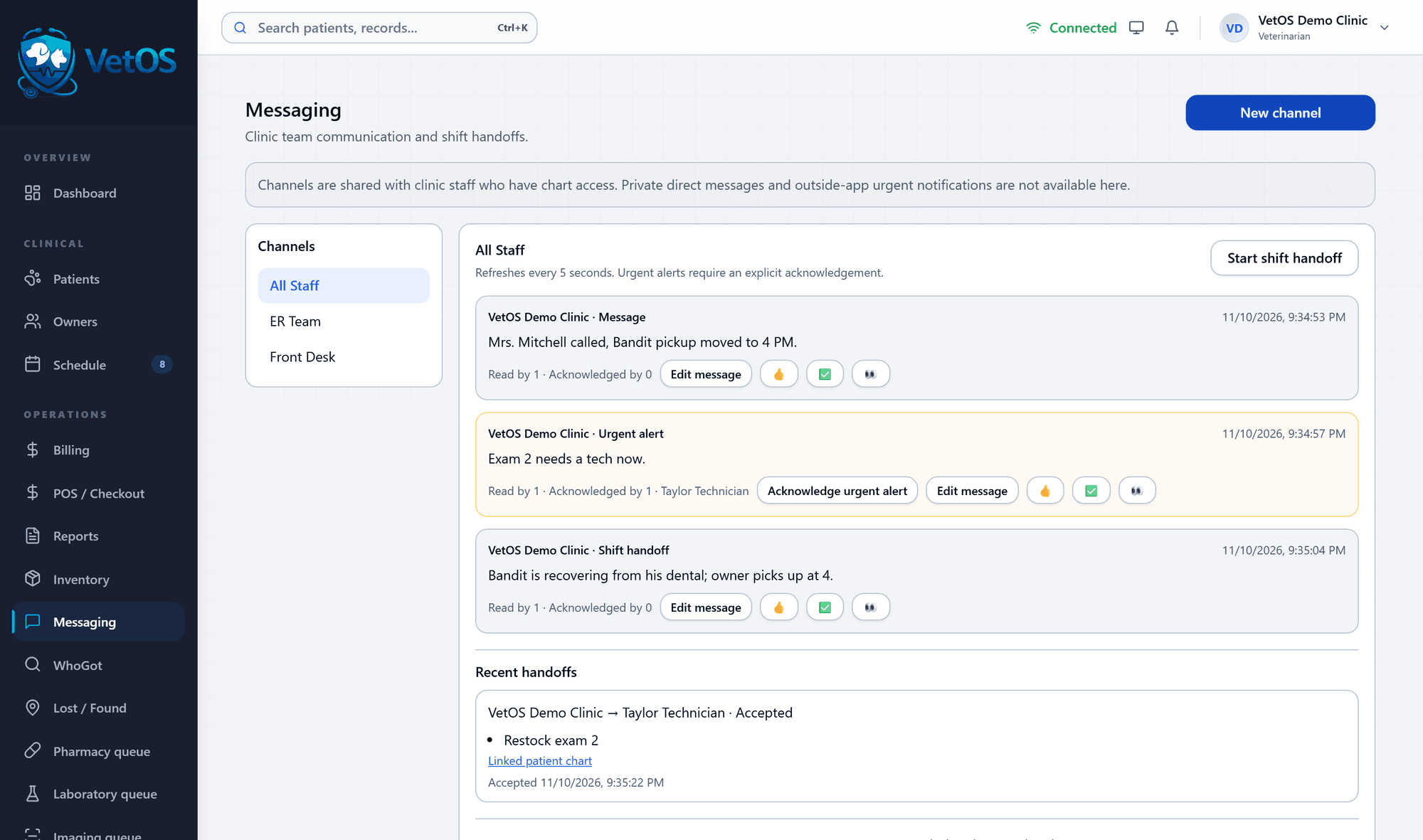
Messages and handoffs stay with the patients.
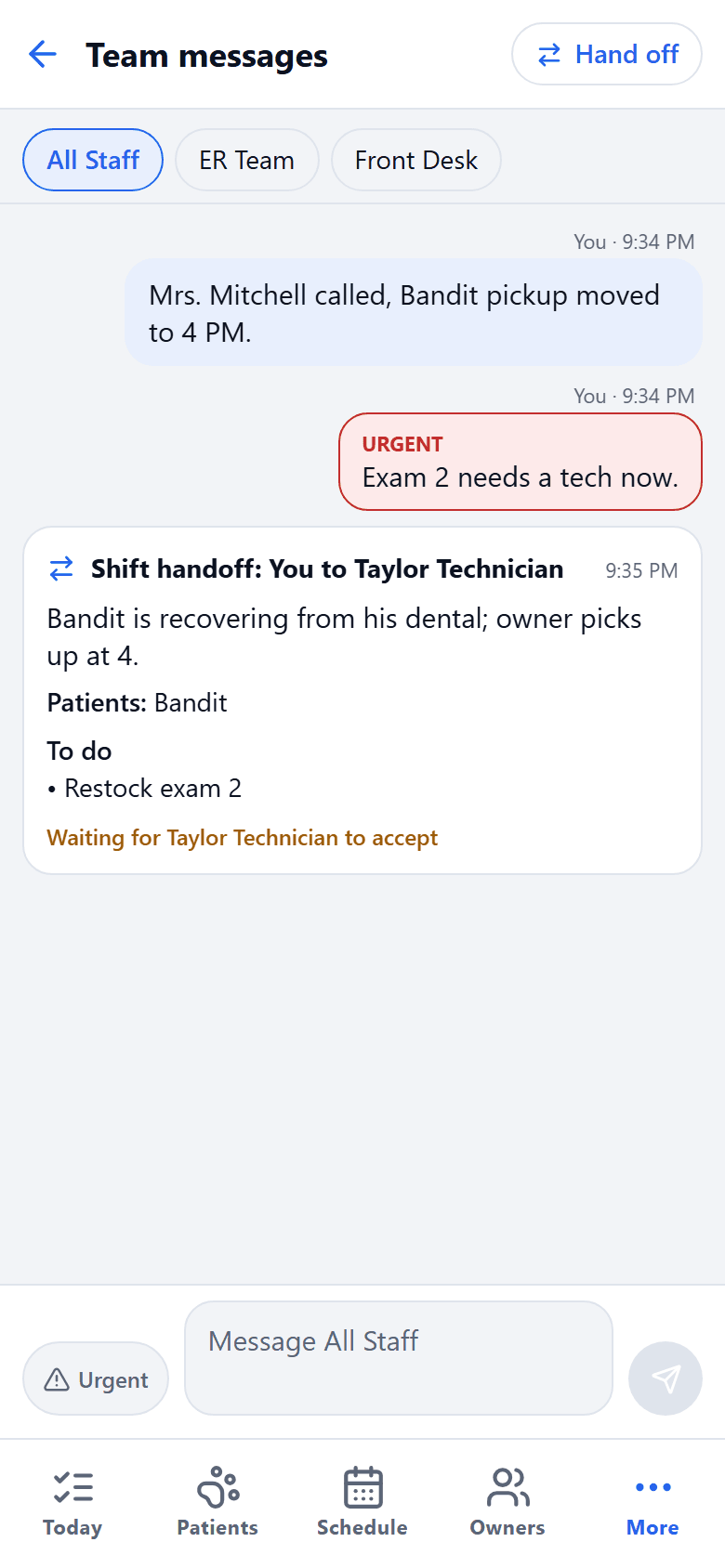
Channels are shared by the clinic staff who work with charts. An urgent alert stays open until someone acknowledges it, and a shift handoff names who is taking over and waits for them to accept.
Messaging is for the team inside VetOS. It does not send private direct messages or alerts outside the program.
Each role sees its own part.
- Front desk
- Owners, registration, scheduling and check-in, billing and checkout. Reads the medical chart without being able to change it.
- Technician
- Clinical records, moving a visit along, recording assigned care and inventory. No prescribing or signing.
- Veterinarian
- Clinical records, prescribing and signing, registration, scheduling and assigning care.
- Kennel tech
- The animals assigned to them and their care instructions: feeding, walking, cleaning and observations.
- Clinic administrator
- Registration, scheduling, money, reports and clinic settings.
Access is checked by the server on every request, not just hidden in the menu. A person can hold more than one role.
New staff learn the job inside the program.
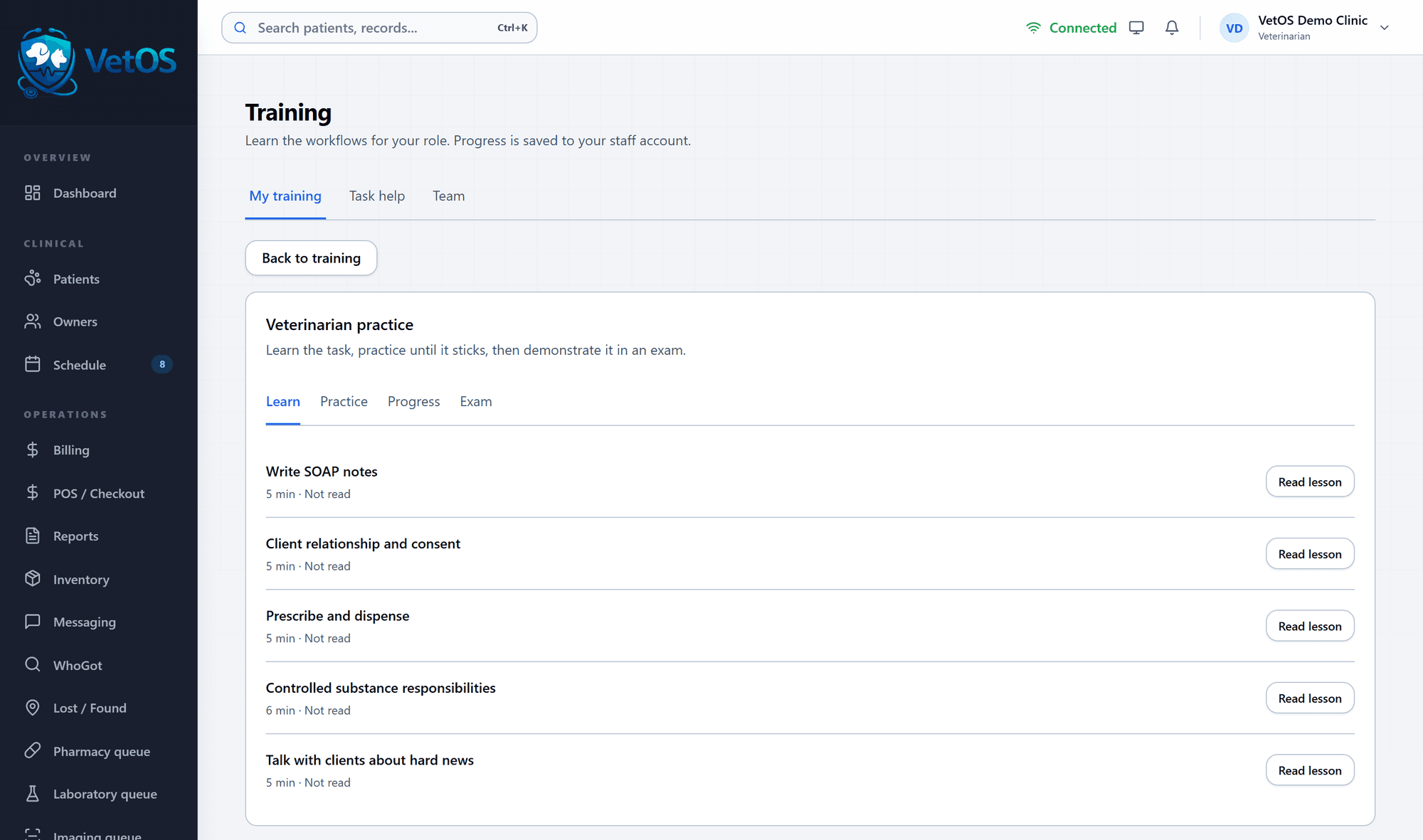
Each role has a training track: read the lesson, practice until it sticks, then show it in an exam. Progress is saved to the staff member’s own account.
The veterinarian track covers writing SOAP notes, client relationship and consent, prescribing and dispensing, controlled substance responsibilities and talking with clients about hard news. Front desk, technicians and kennel staff have their own.
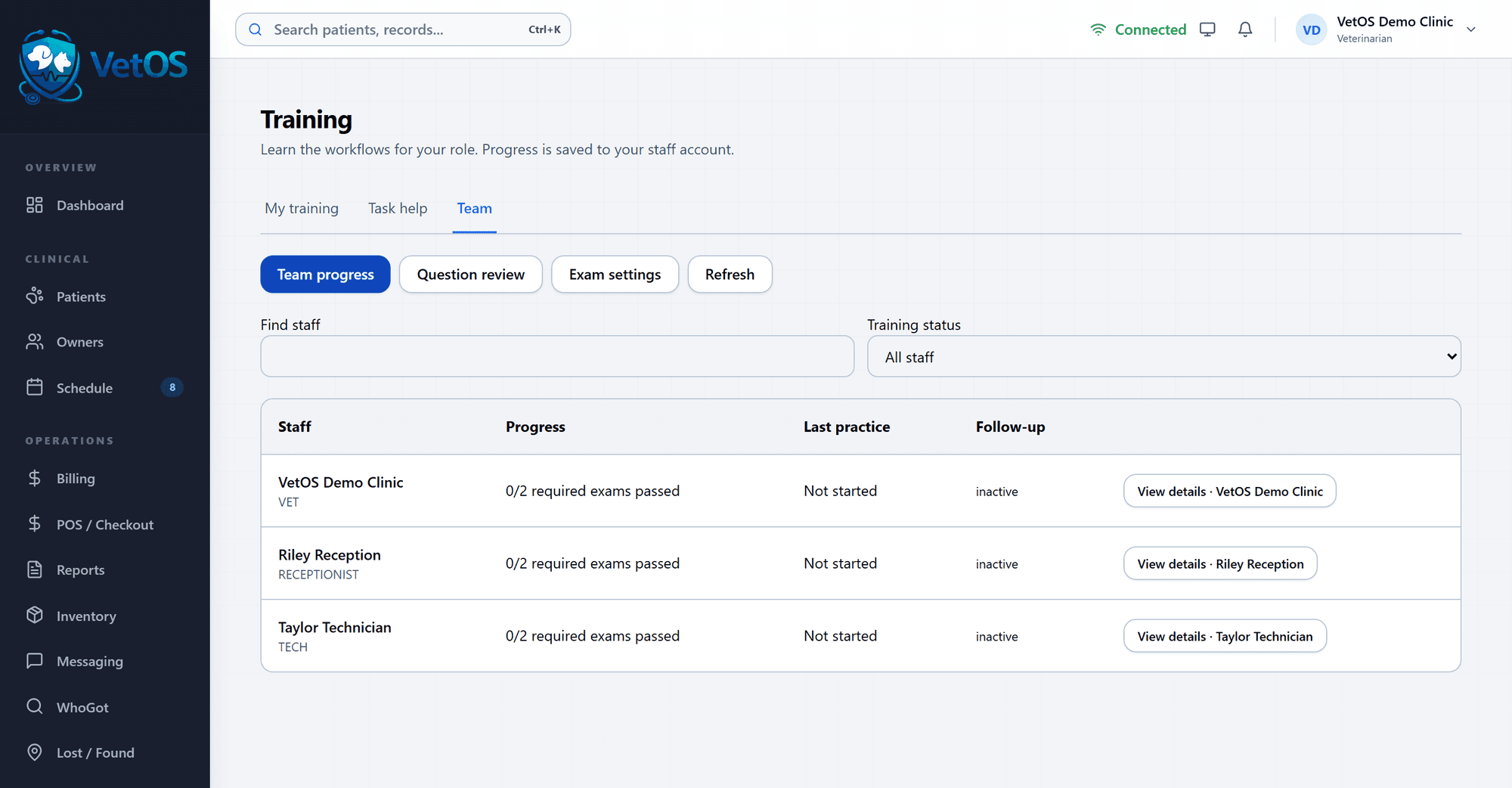
See who is trained and who needs a nudge.
The Team tab lists each staff member with the required exams they have passed, when they last practiced and whether a follow-up is due.
Filter to the people who need attention or are waiting for a sign-off, review the questions people miss, and set which exams are required.
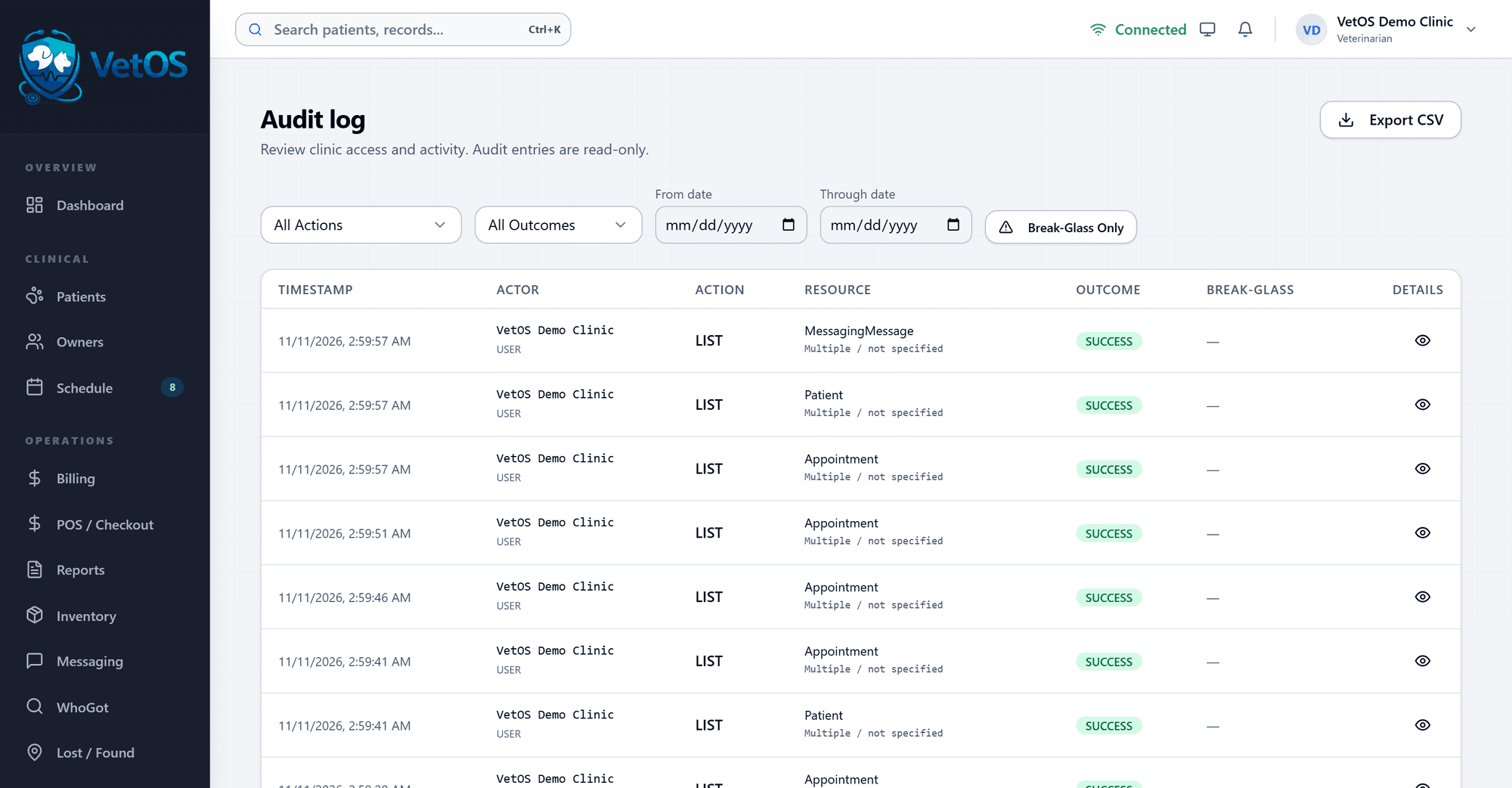
A record of who did what.
The audit log lists each action with its time, the person, what they touched and whether it succeeded. Entries are read-only.
Filter by action, outcome or date, and export the list as a file when someone asks for it.
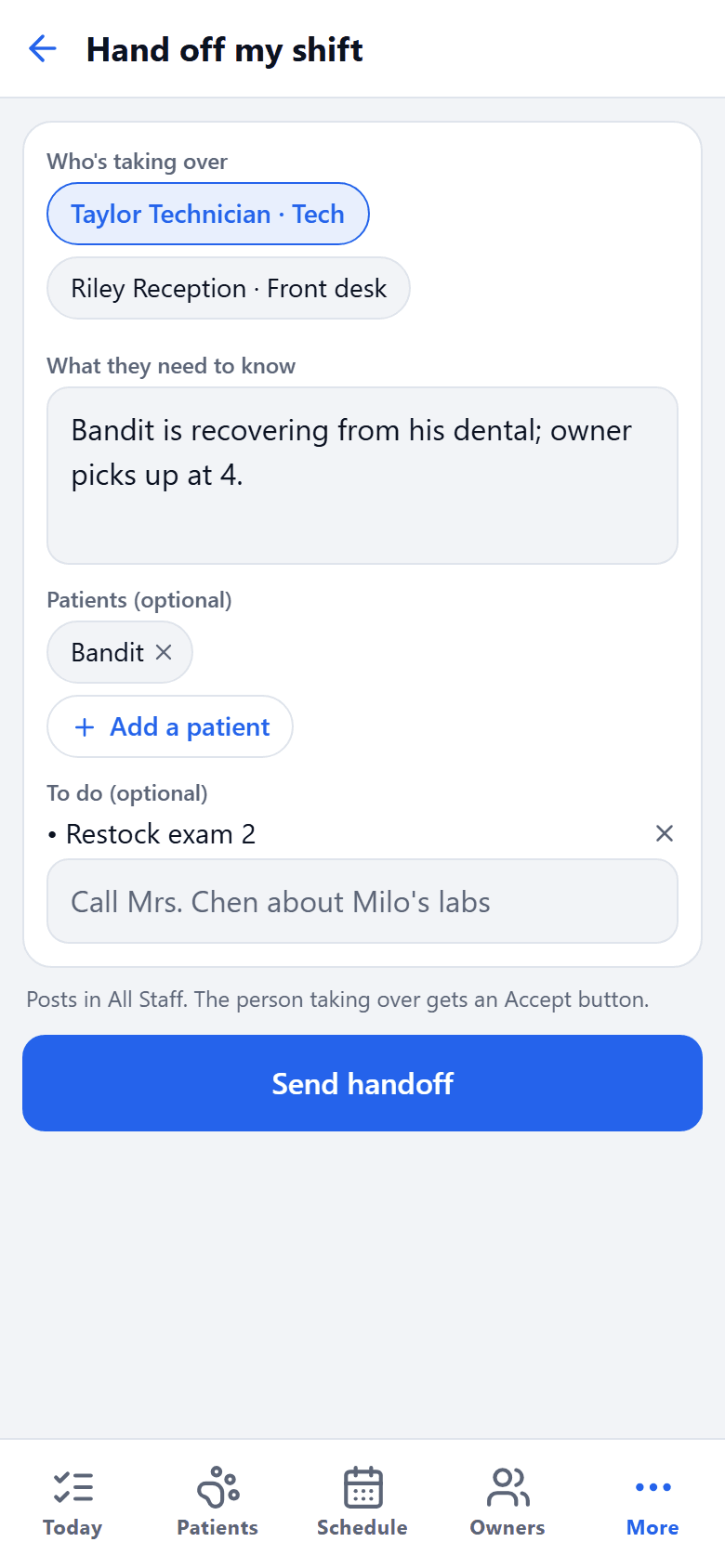
Hand off your shift from your phone.
The phone app has the same team messages. Pick who is taking over, say what they need to know, add the patients and the to-do list, and send.
The person taking over gets an Accept button, and the handoff shows on the desktop too.
See it with your own clinic in mind.
Tell us about your practice, whatever its size, and we’ll walk you through VetOS on a call.
Ask for a walkthrough