
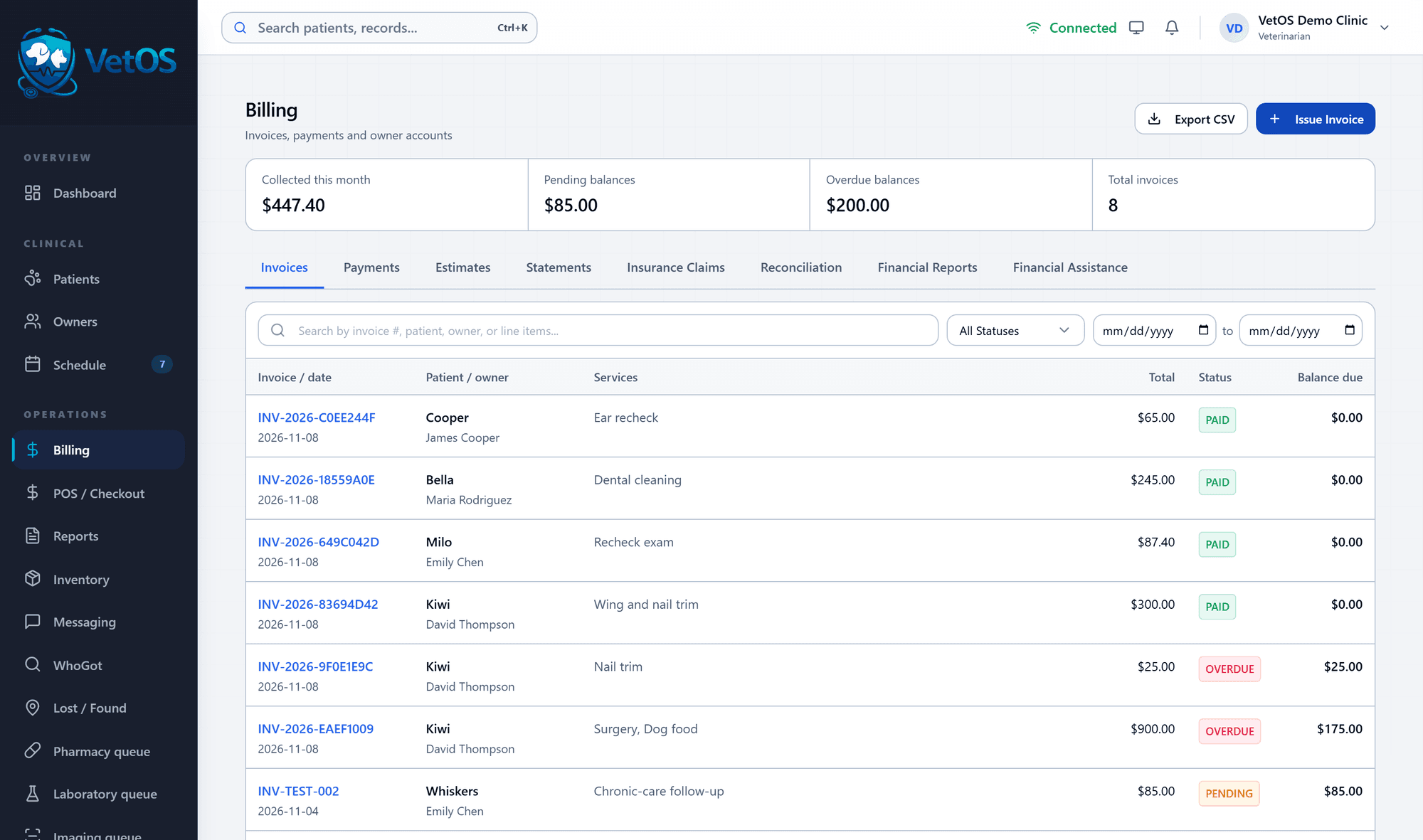
The estimate, the invoice and the receipt, next to the chart.
Billing lives in the same program as the patient record. The front desk sees what was quoted, what was billed, what was paid and what is still owed without opening anything else.
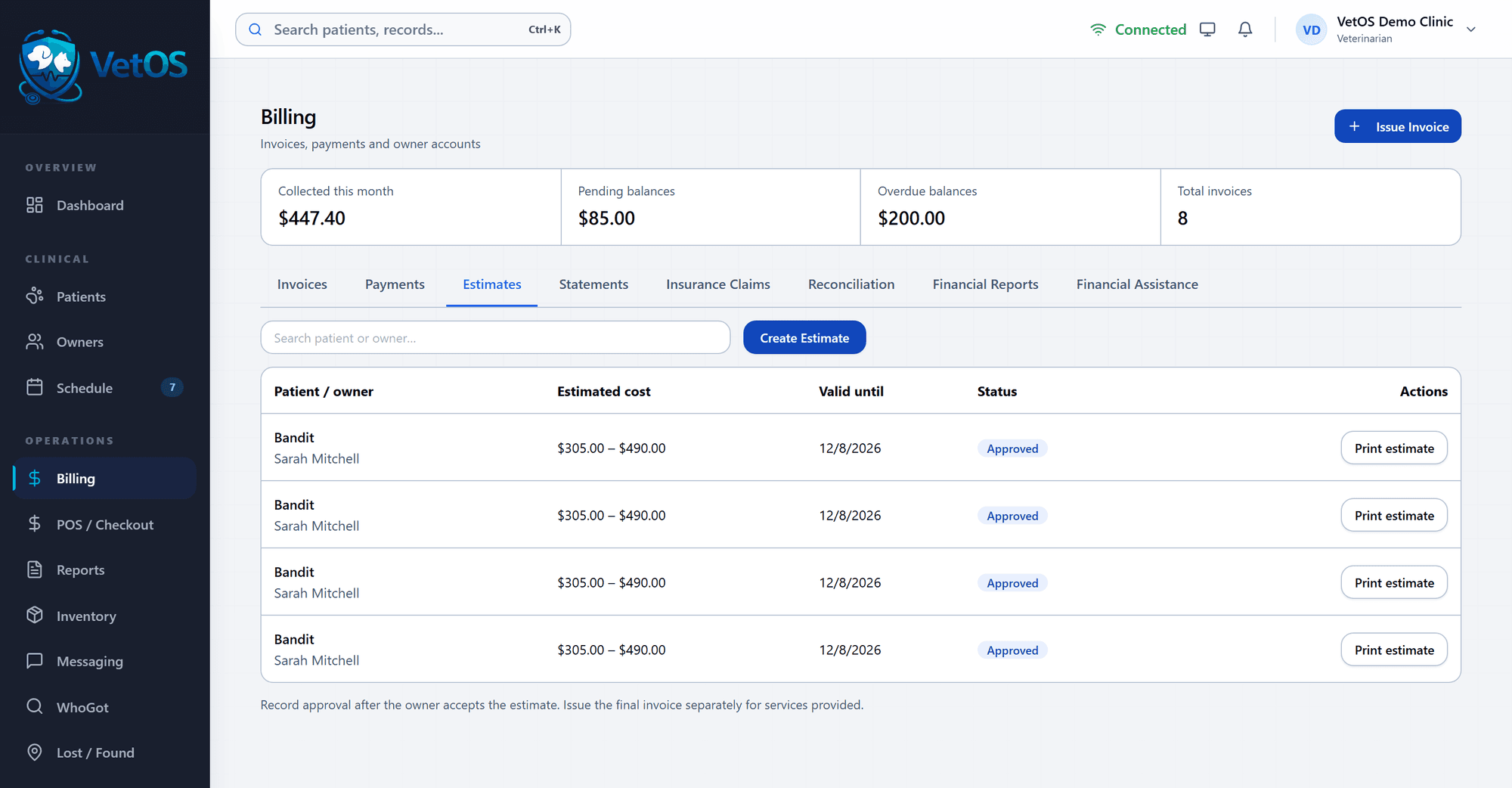
Quote a range before the work starts.
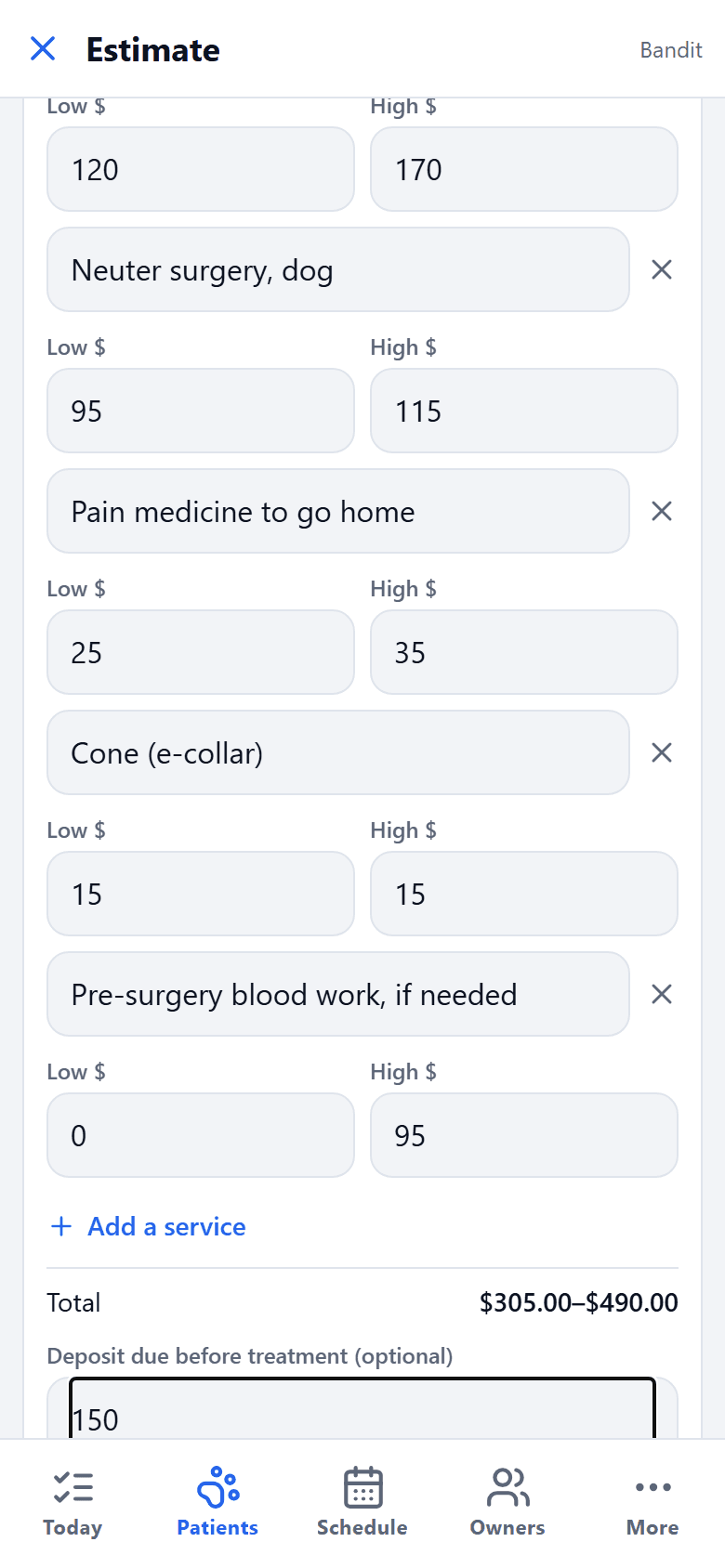
An estimate lists each service with a low and a high cost. The owner sees the range, and you record their approval.
Every estimate keeps its valid-until date and its status, and prints for the owner to take home. The final invoice is issued separately, for the services actually provided.
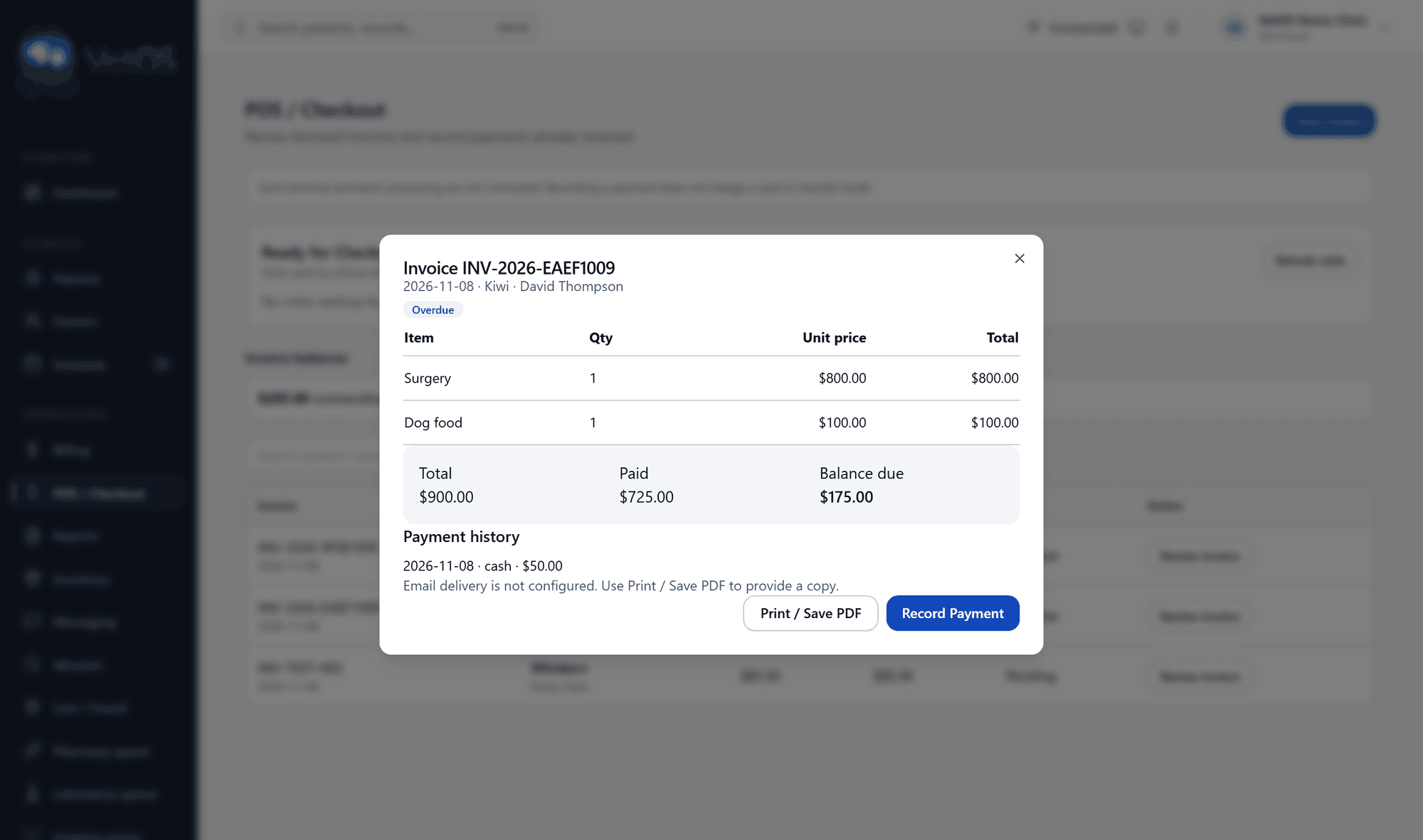
At the counter: the invoice, what’s paid, what’s due.
Open an invoice at checkout to see each line, the total, what has been paid and the balance, with the payment history underneath.
Record the payment and print the invoice or save it as a PDF. VetOS records how a bill was paid; it does not charge cards, so you keep the card reader you already have.
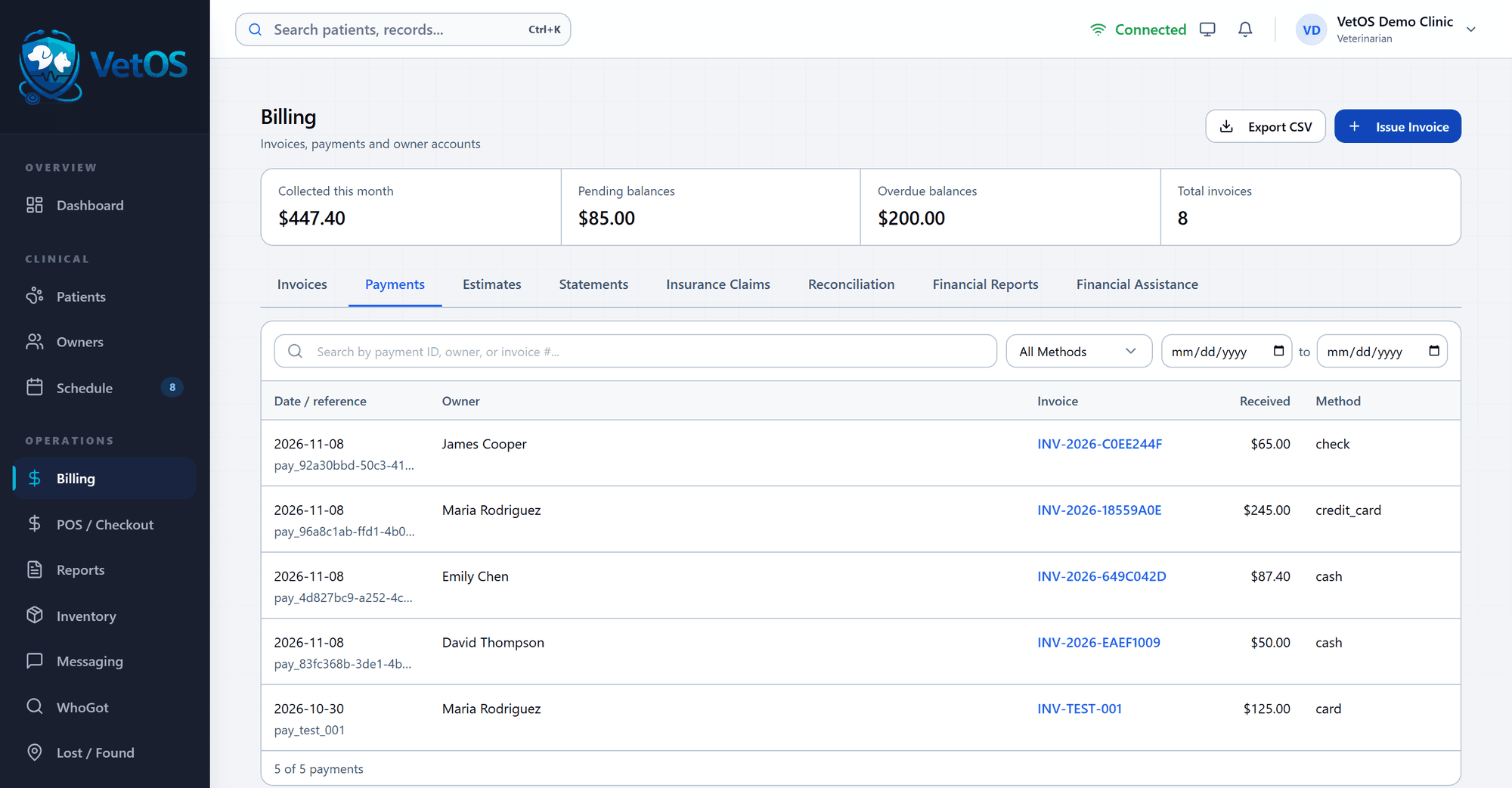
Every payment, and how it was made.
The Payments tab lists each payment with its date, the owner, the invoice it went to, the amount and whether it was cash, check or card.
Search by owner or invoice number, filter by method or date, and export the list. Statements, reconciliation and financial reports are tabs on the same screen.
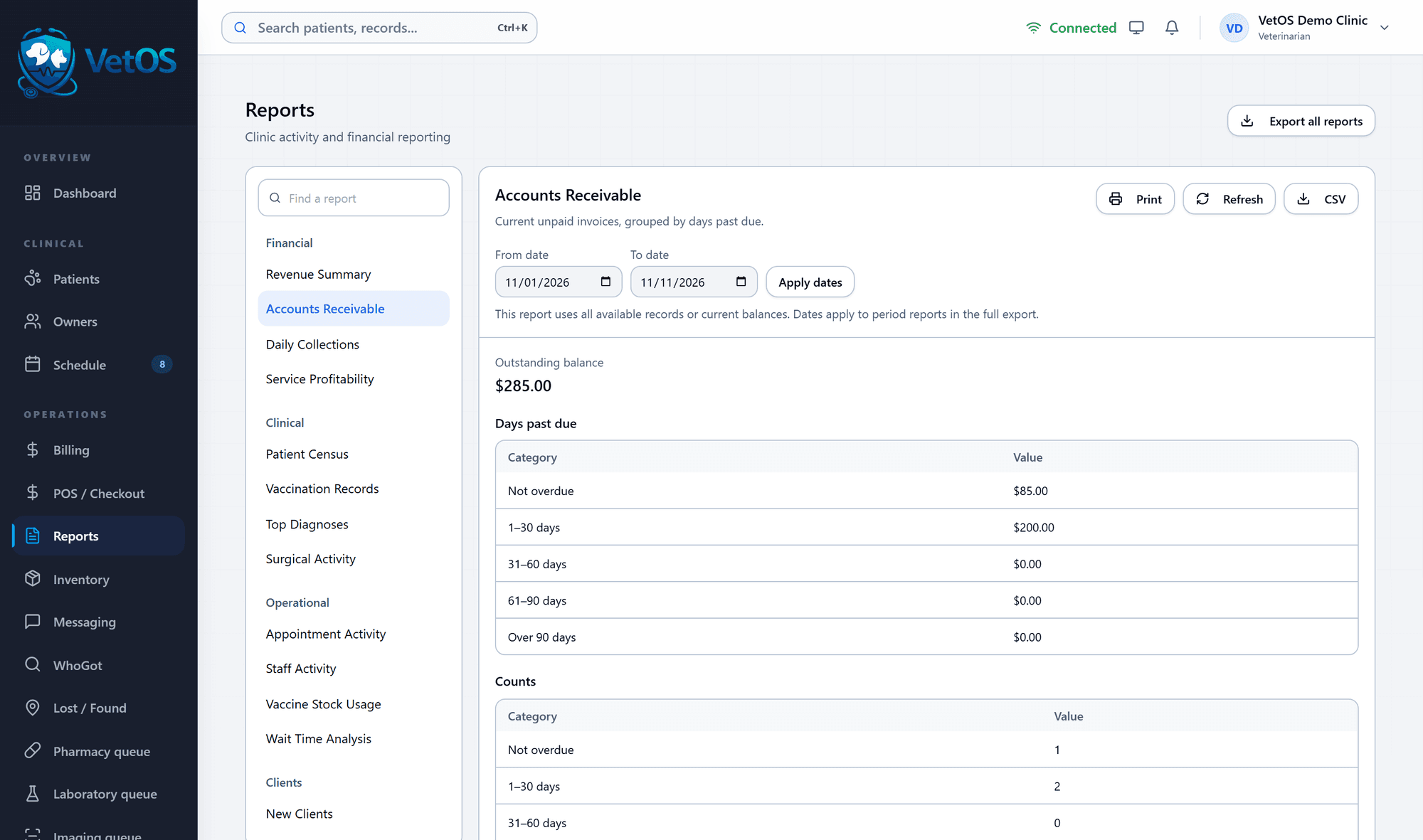
Who owes, and for how long.
Accounts Receivable groups unpaid invoices by days past due, from not yet overdue to over 90 days, with the amount and the number of invoices in each group.
Revenue summary, daily collections and service profitability sit in the same list of reports. Each one prints and downloads as a file for your bookkeeper.
Insurance: VetOS prepares claim packets and tracks the submissions and responses your staff record. It does not send claims to insurers.
Client paperwork, saved to the patient.
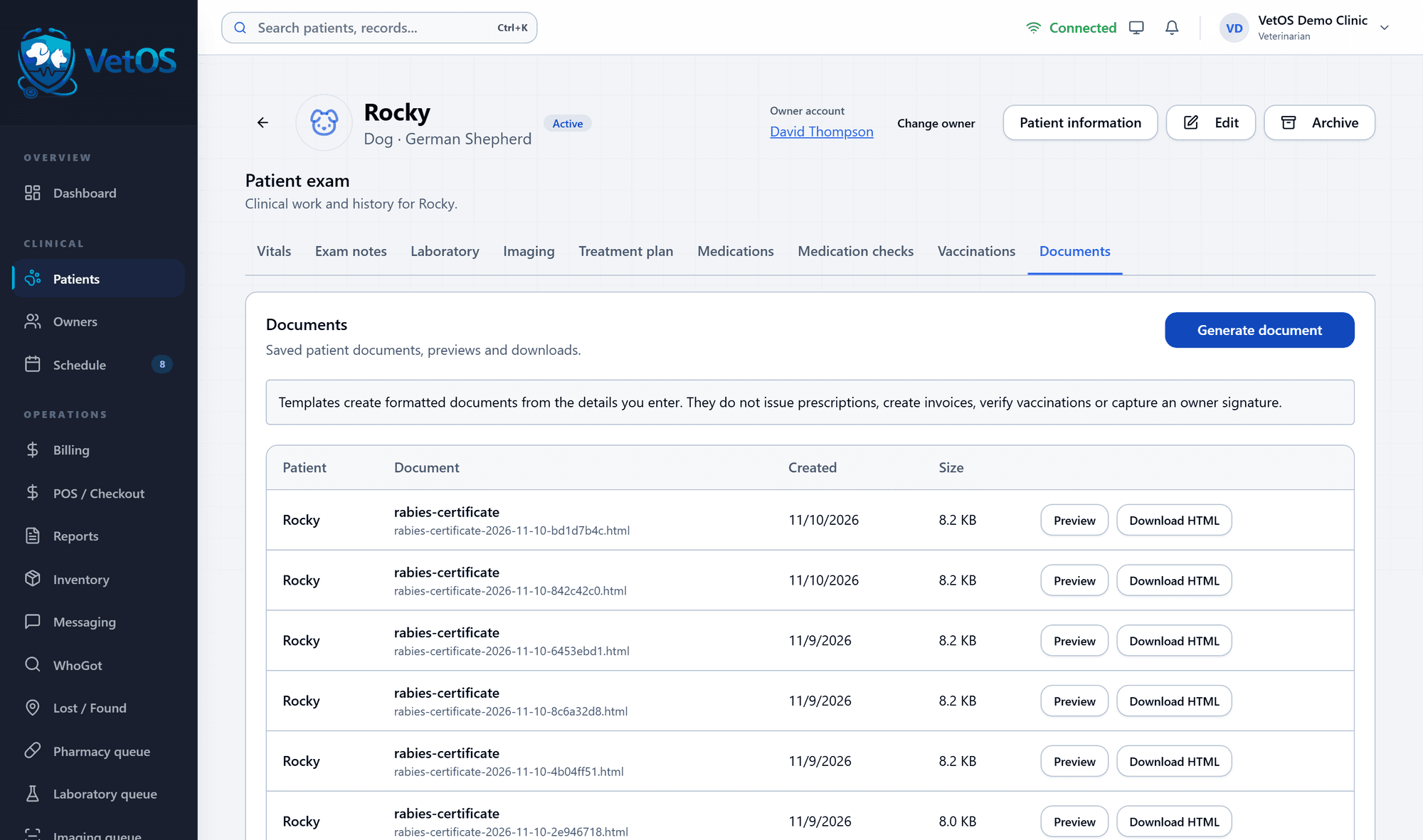
Forms are filled from the details already in the chart, then saved under the patient’s Documents tab, where anyone on the team can preview or download them again.
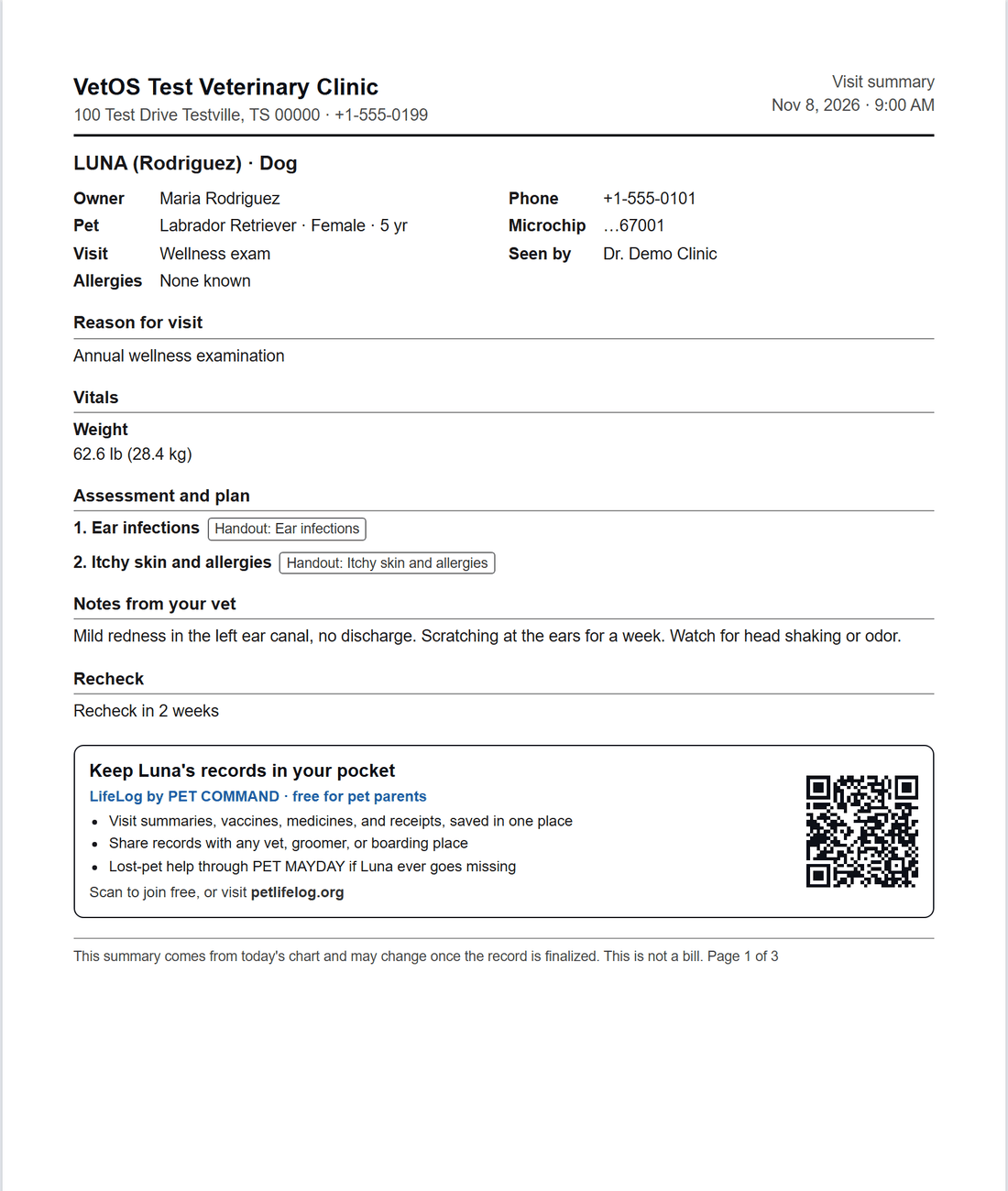
- Visit summary
- Estimate
- Surgery consent
- Before and after surgery
- Medication schedule
- Records release
- Rabies certificate
- Bite report
- Receipt
A form records that staff obtained consent. It does not capture the owner’s signature on screen; print it for a signature on paper.
On paper and on the phone.
The visit summary prints as a page the owner can read, with what was found, what to do and when to come back.
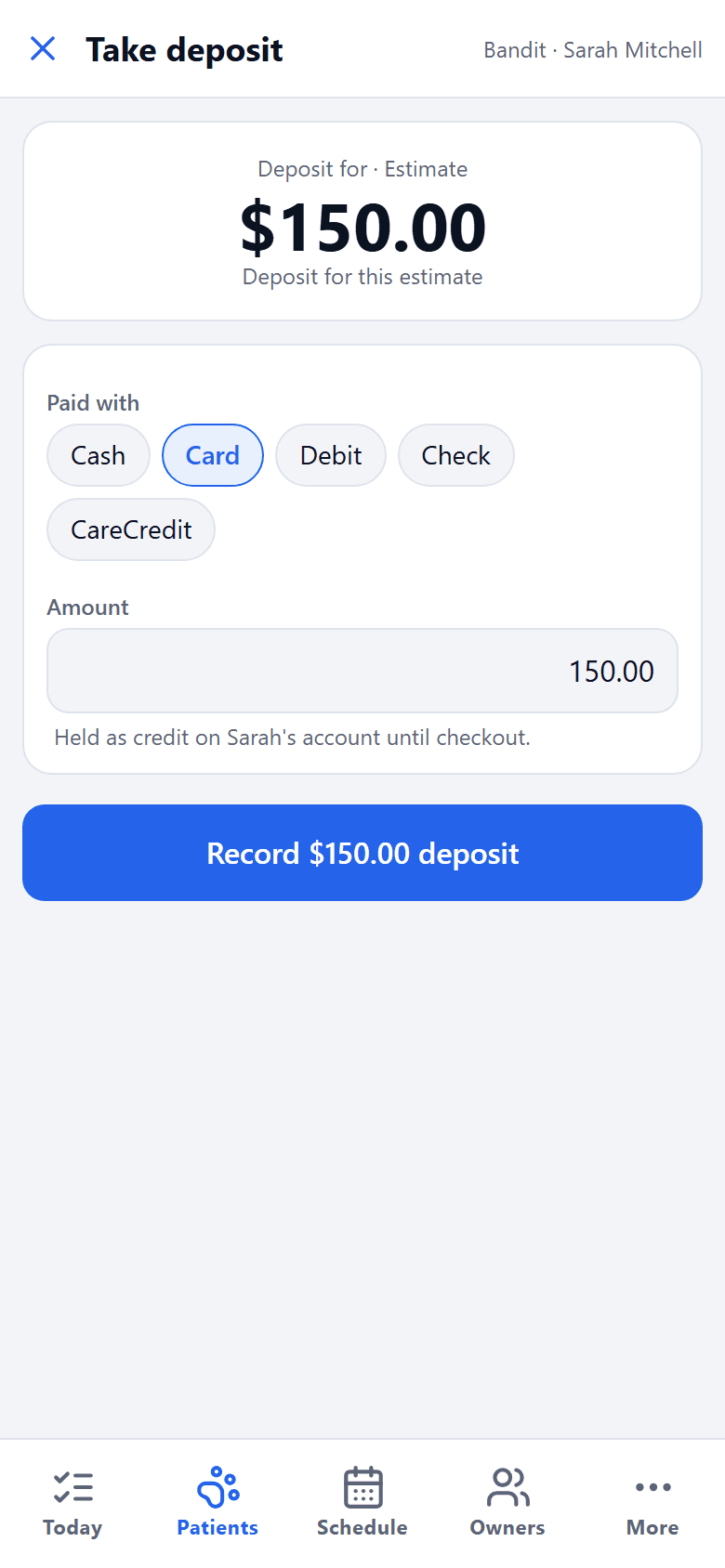
With the phone app you can build the estimate and record a deposit standing next to the owner. The deposit is held on their account until checkout.
Next: the drugs on your shelf, and who received them.
Inventory, lots, the controlled-drug log and the recall search.
See it with your own clinic in mind.
Tell us about your practice, whatever its size, and we’ll walk you through VetOS on a call.
Ask for a walkthrough