
Know what is on the shelf, and where every dose went.
Inventory lists every medication, vaccine and supply with what is available, when to reorder and whether it is running low. Controlled drugs show their schedule beside the name.
Shown in dark mode. Every desktop screen comes in light and dark.
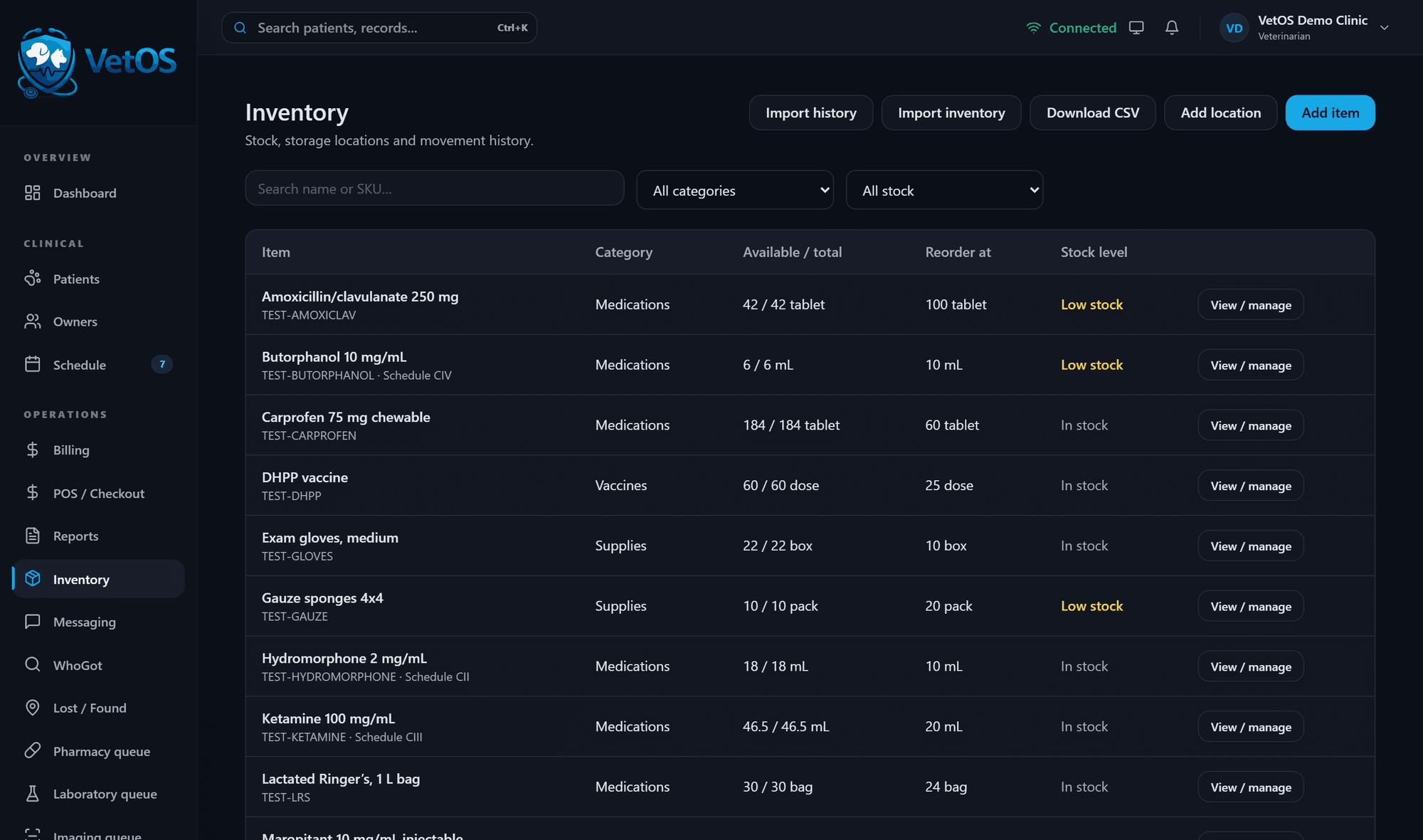
Every bottle has a history.
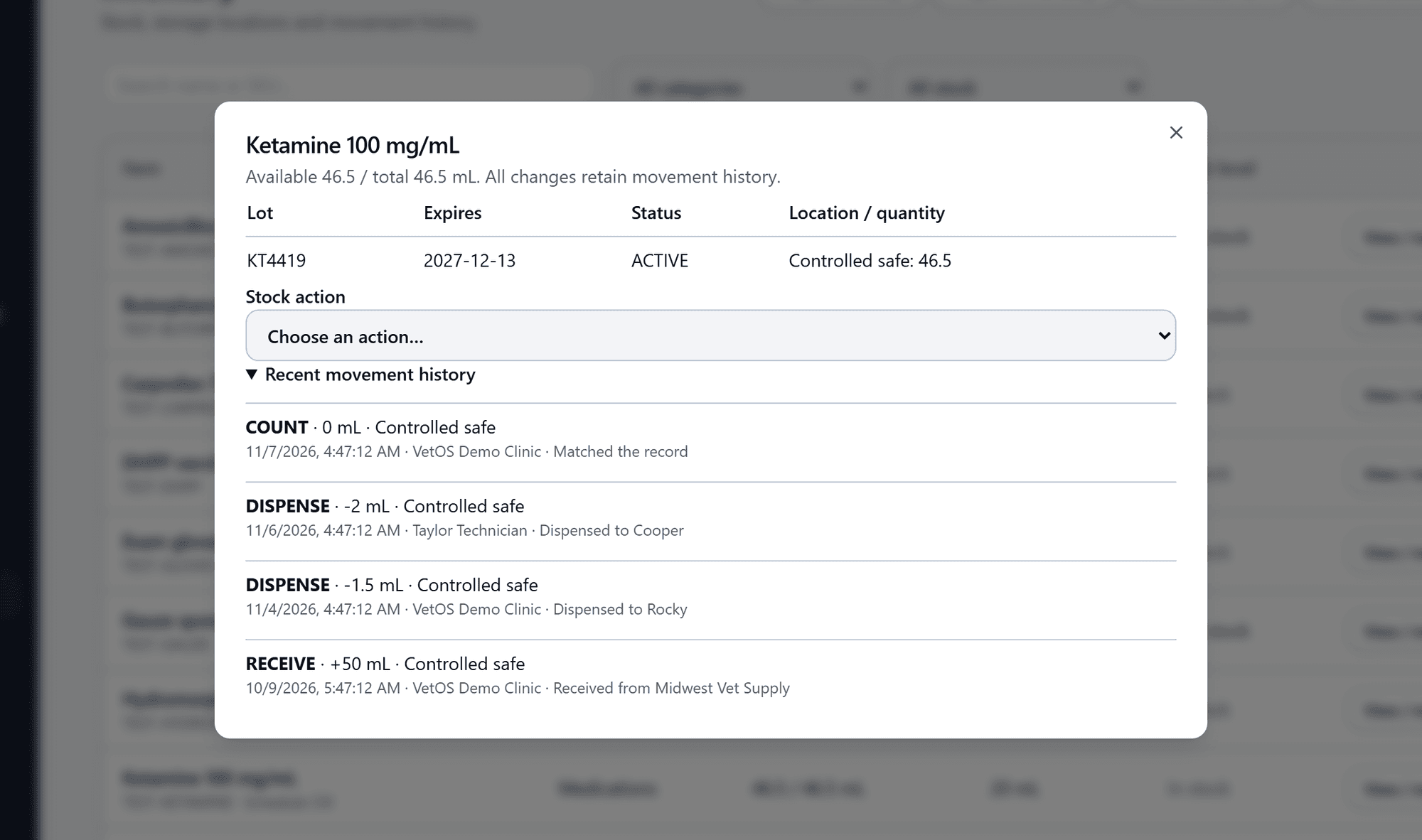
Open an item to see its lots, their expiry dates and where each one is kept. Underneath is every movement: received, dispensed, counted.
Each line shows the amount, the place, the date and time, the staff member, and the patient it was dispensed to or the supplier it came from. Stock counts are recorded the same way, so a count that matched the record is on file too.
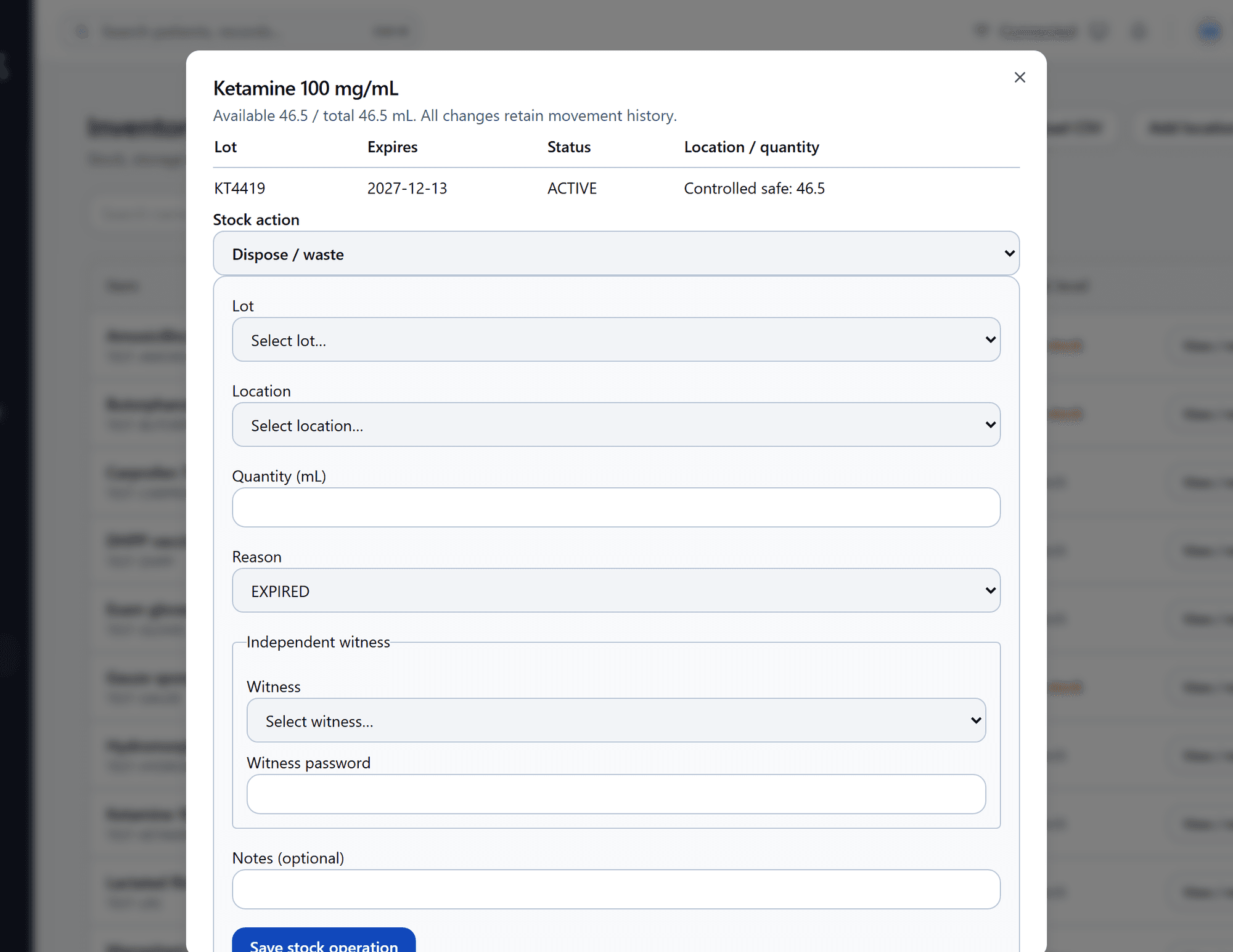
Disposing of a controlled drug takes a second person.
To waste or dispose of stock you choose the lot, the place, the amount and the reason. For a controlled drug, an independent witness must be named and enter their own password.
The same window receives stock, dispenses to a patient, records clinic use, moves stock between places and records a count. Nothing is edited in place; each action is added to the history.
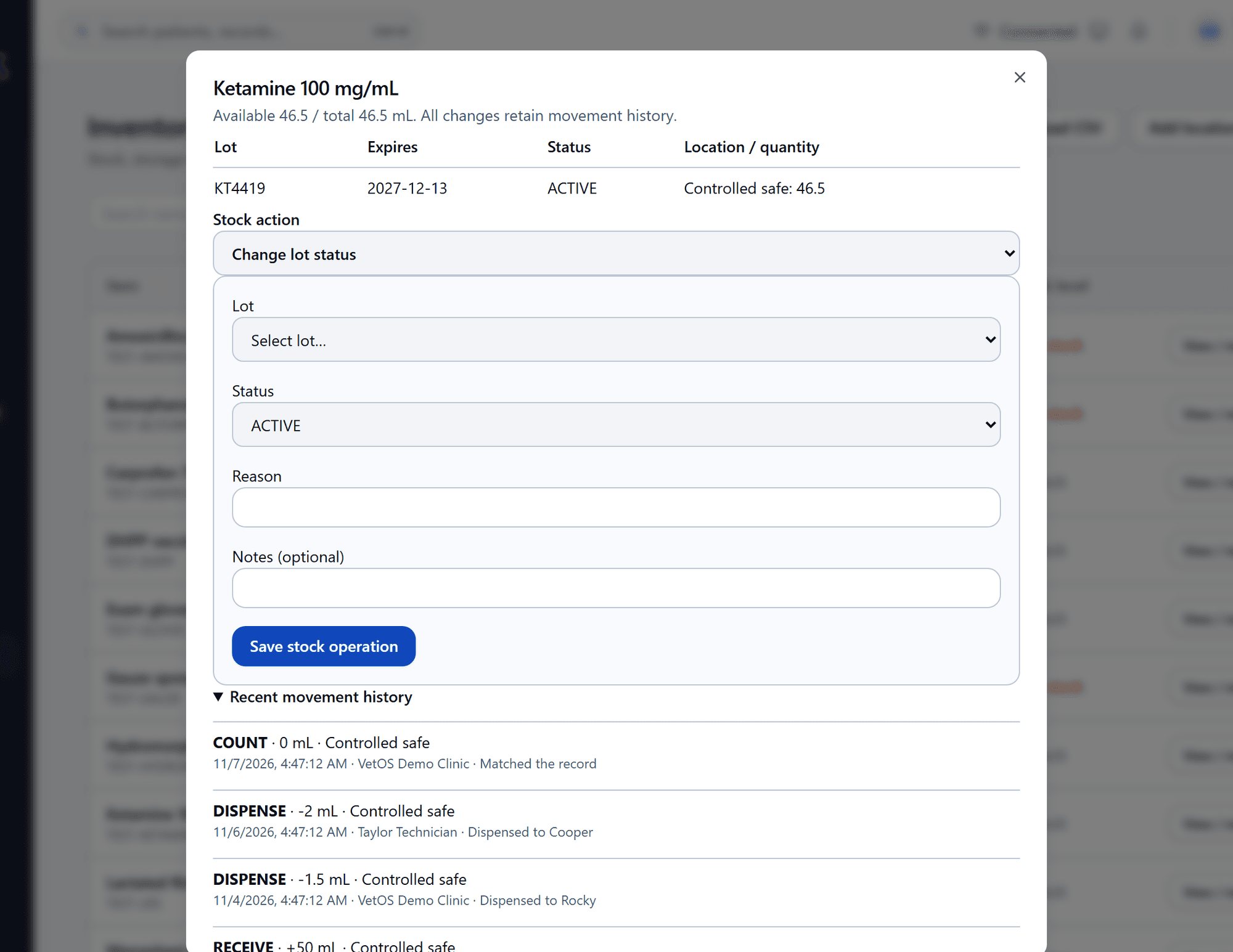
A lot is recalled. Mark it, then find who got it.
Change a lot’s status to quarantined or recalled, with the reason. Then search that lot number in WhoGot to list every patient it was dispensed to.
WhoGot lists the patient, the drug, the amount, the date and the staff member, and the results download as a file. It traces what was recorded in VetOS; a dose that was never recorded cannot be traced.
One list of what was prescribed and what was dispensed.
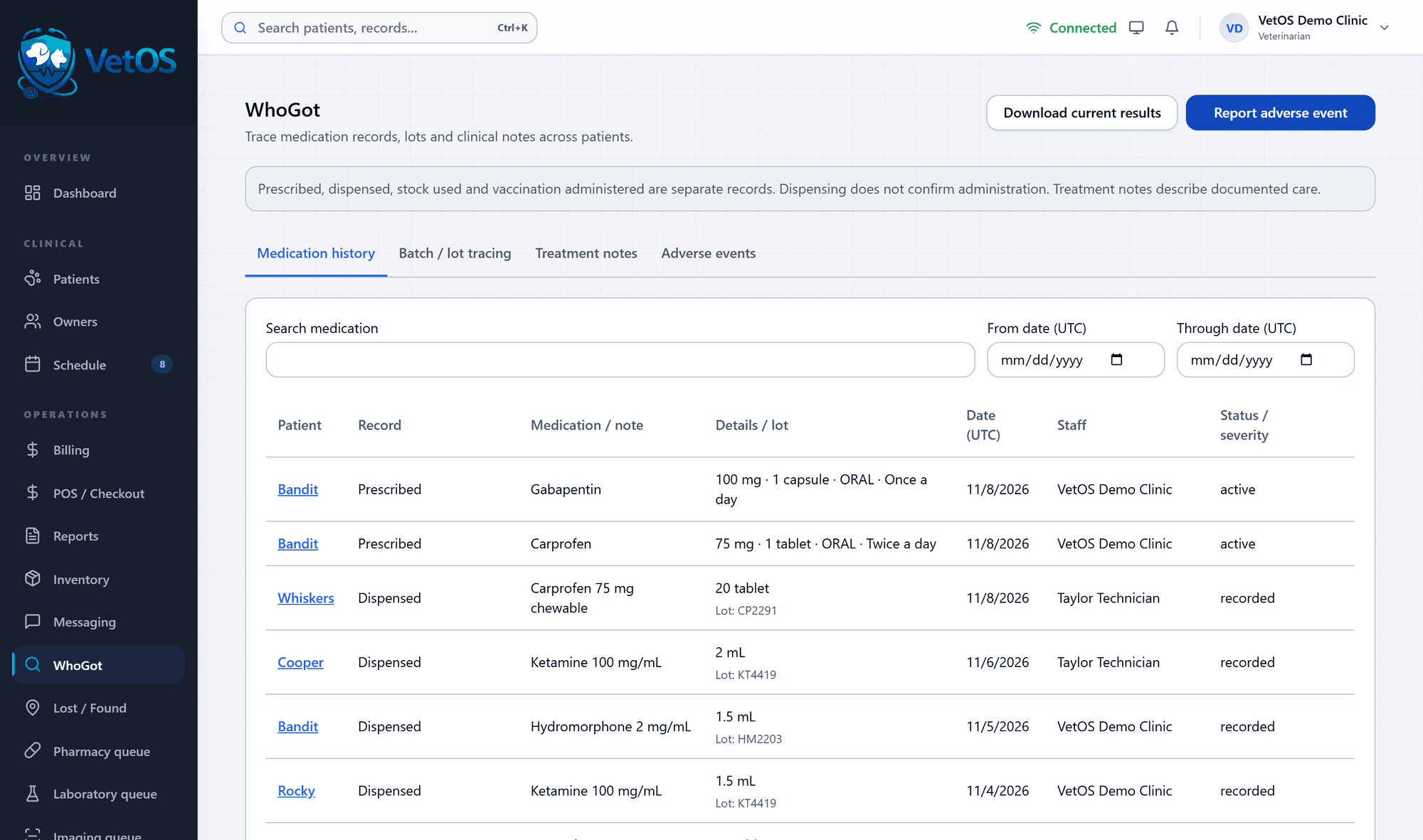
WhoGot’s medication history shows prescriptions and dispensing across all patients, with the dose, the lot, the date and who recorded it.
Prescribing, dispensing, clinic use and vaccines given are kept as separate records, and the screen says so. Adverse events have their own tab, and you can report one from here.
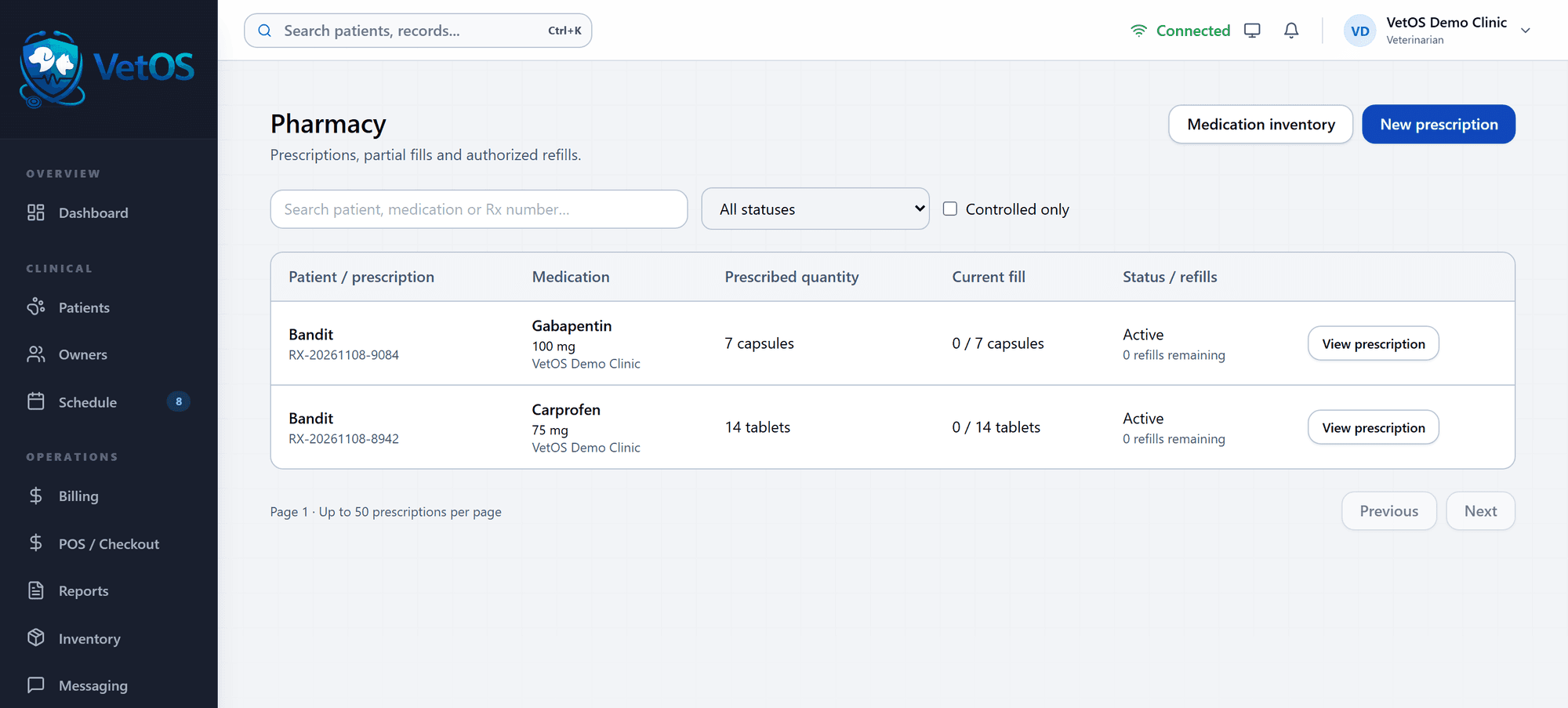
The pharmacy list keeps fills and refills straight.
Each prescription shows the quantity prescribed, how much has been filled so far and how many refills remain.
Filter by status, from active to partially dispensed to expired, or show controlled drugs only. A new prescription can start here or from the patient’s Medications tab.
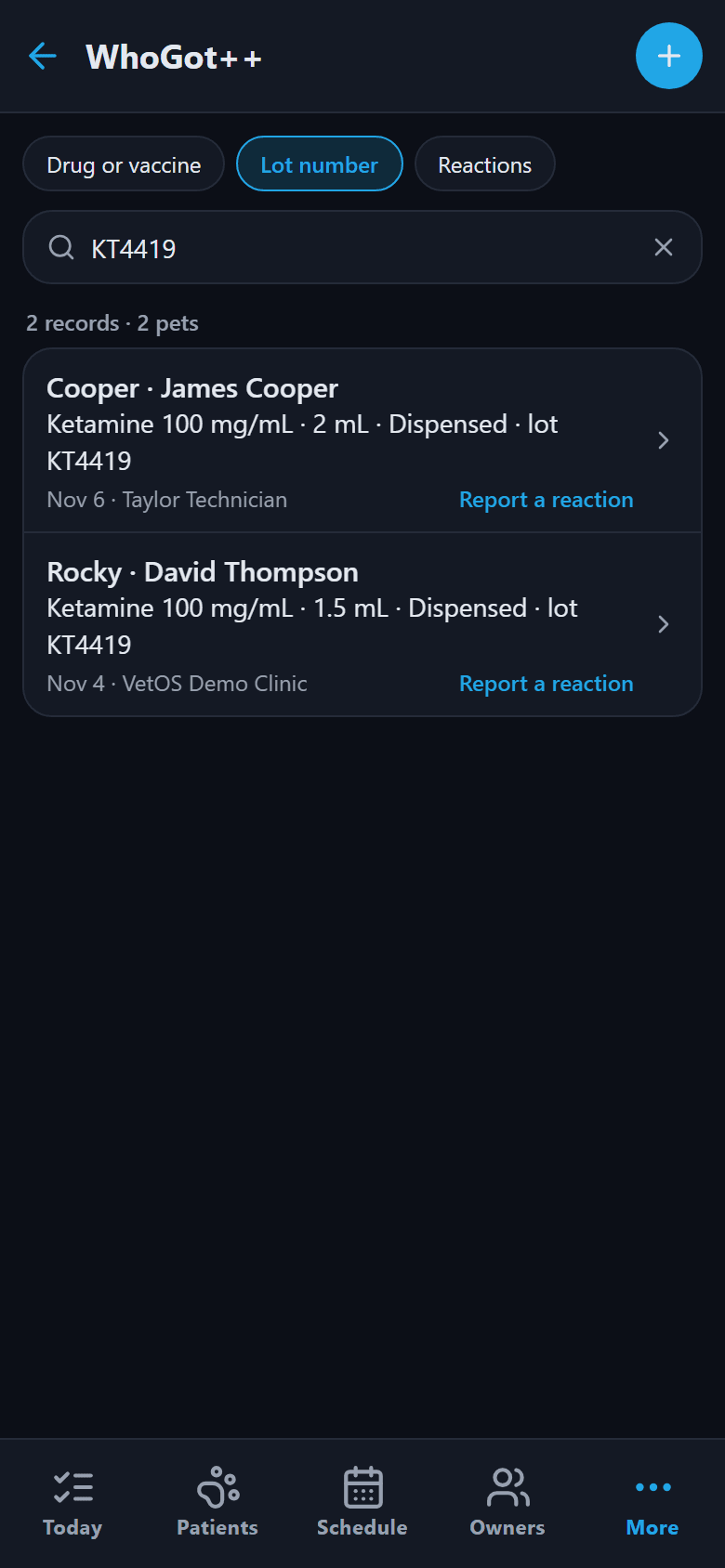
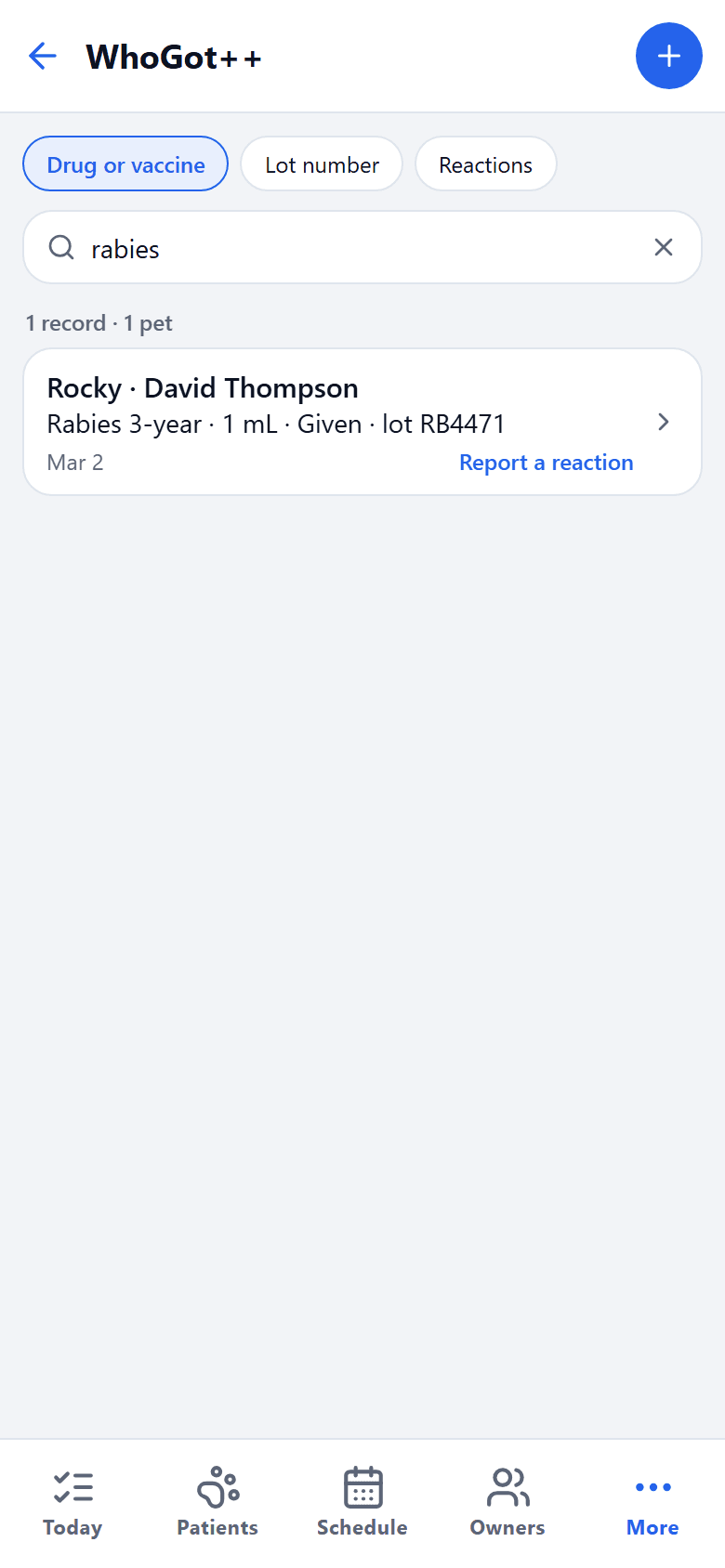
The recall search is on the phone too.
The phone app searches by drug, vaccine or lot number and lists the pets and owners, with a button to report a reaction from the same row.
Useful when the recall notice arrives and you are not at a desk.
Next: what your clients see.
Records, requests and reminders for the people on the other side of the counter.
See it with your own clinic in mind.
Tell us about your practice, whatever its size, and we’ll walk you through VetOS on a call.
Ask for a walkthrough