Your whole veterinary practice in one program.
VetOS is practice software for every size of clinic, from a solo practitioner to a busy emergency hospital. It runs on the desktops and laptops your team already uses, and it comes with a phone app for the exam room and after hours.
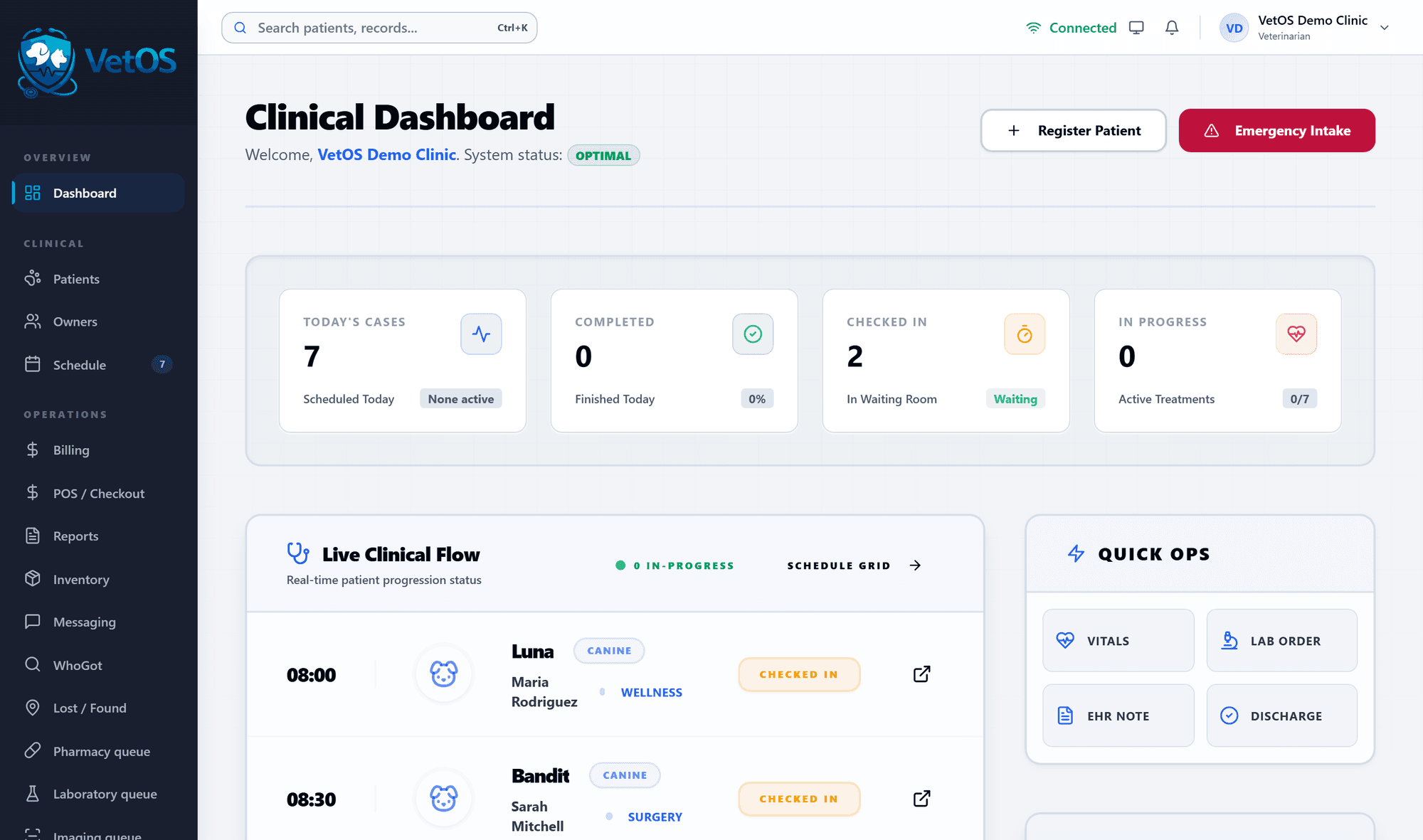
One visit, from the front desk to the books.
These are the real screens, not drawings. Everyone works in the same program, each on the part that is theirs.
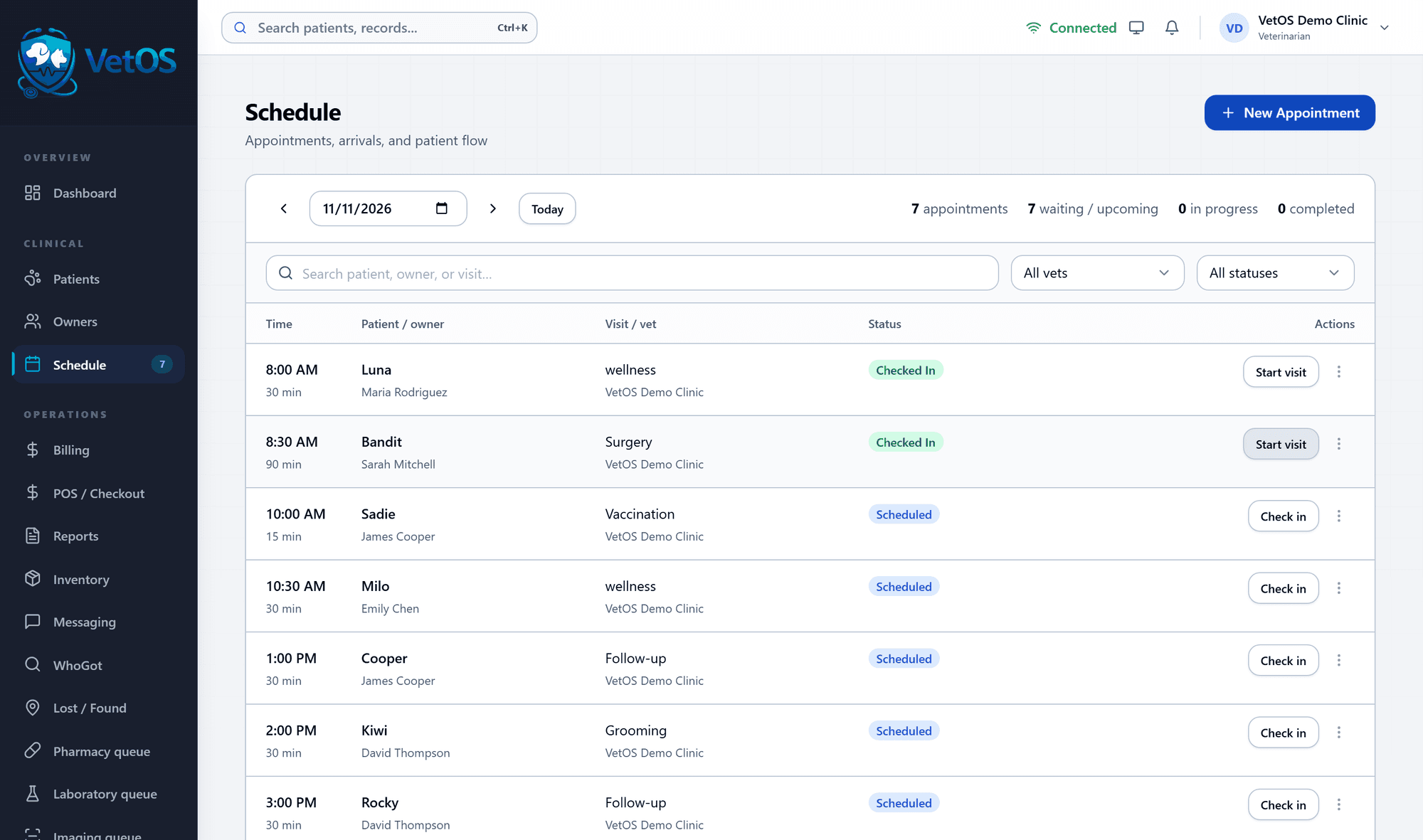
Check the patient in
The day's schedule shows who is booked, who has arrived and who is being seen. One button checks a patient in.
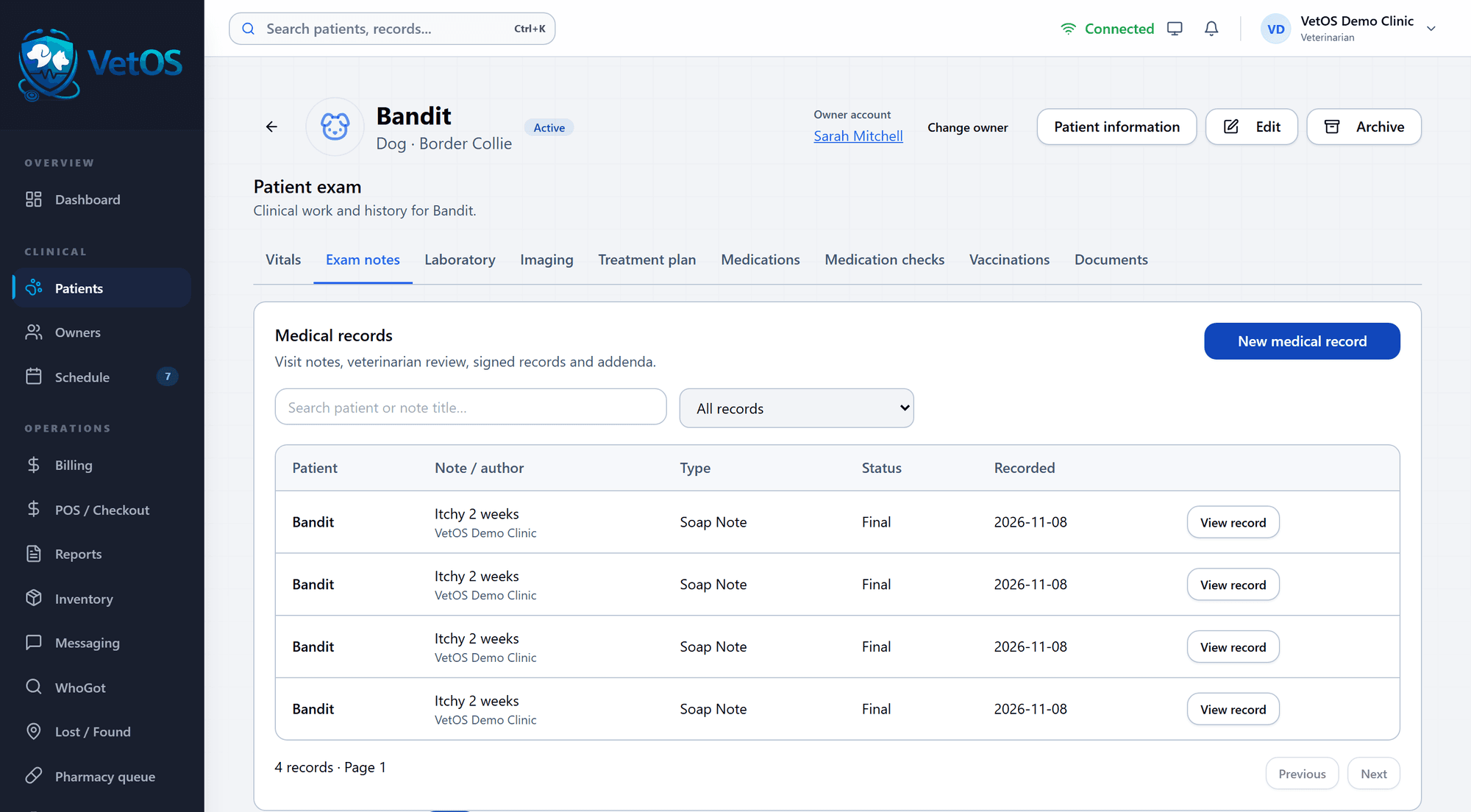
Work from one patient screen
Vitals, exam notes, lab orders, imaging, treatment plans, medications, vaccinations and documents are tabs on the same screen.
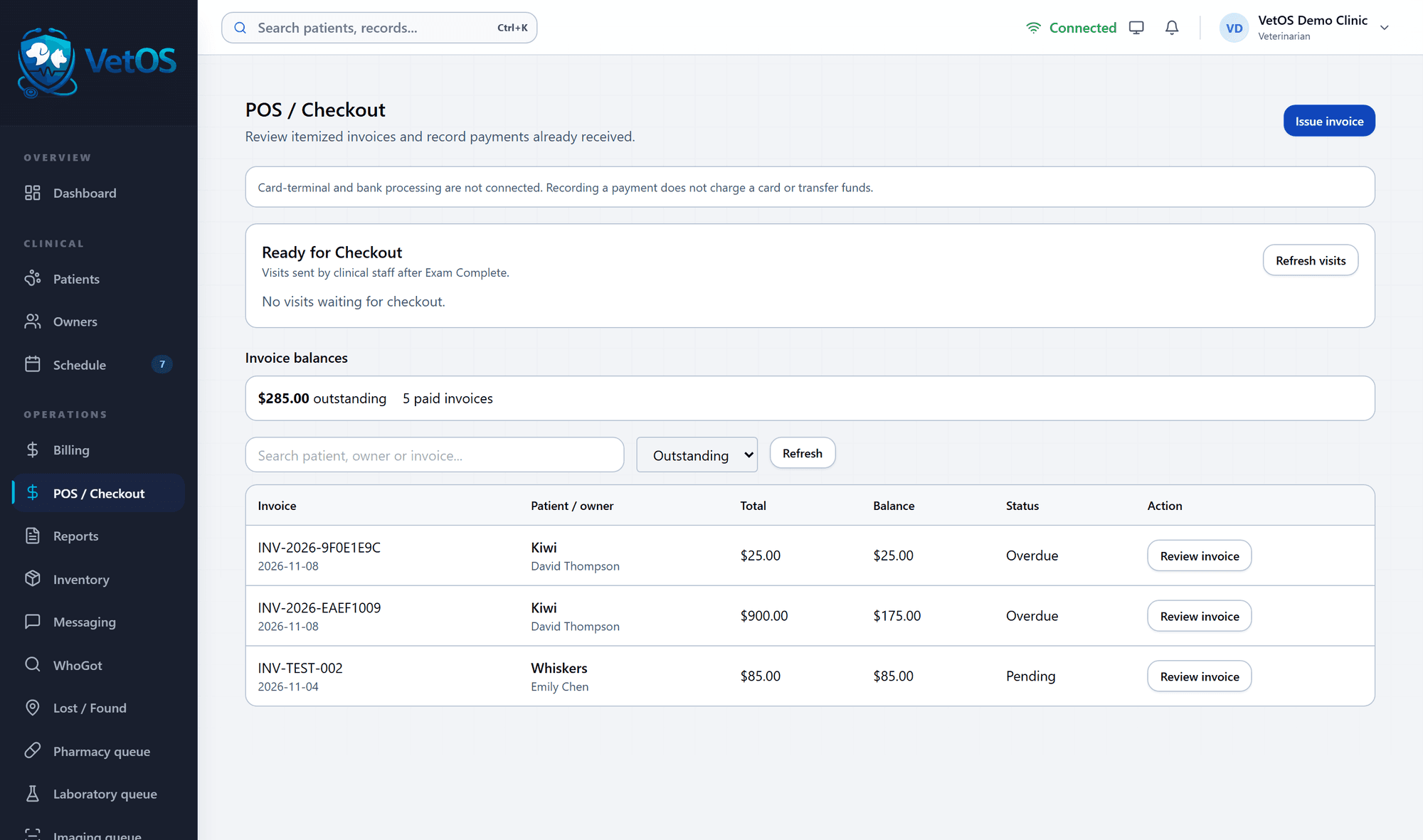
Send the visit to the counter
Marking the exam complete puts the visit on the front desk's ready-for-checkout list, beside every invoice still owed.
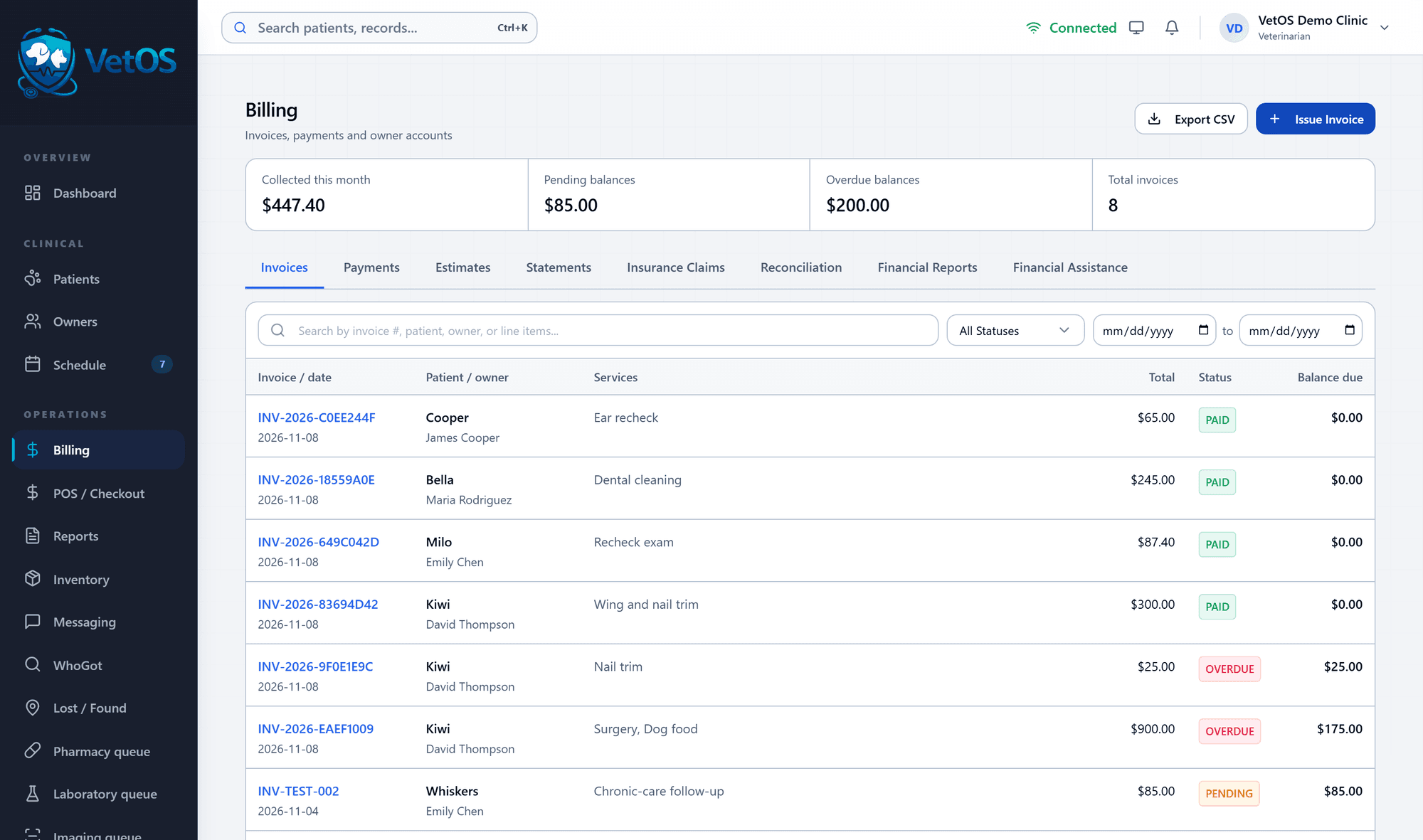
Know what came in
Billing shows what was collected this month, what is pending and what is overdue, with estimates, statements and insurance claims alongside.
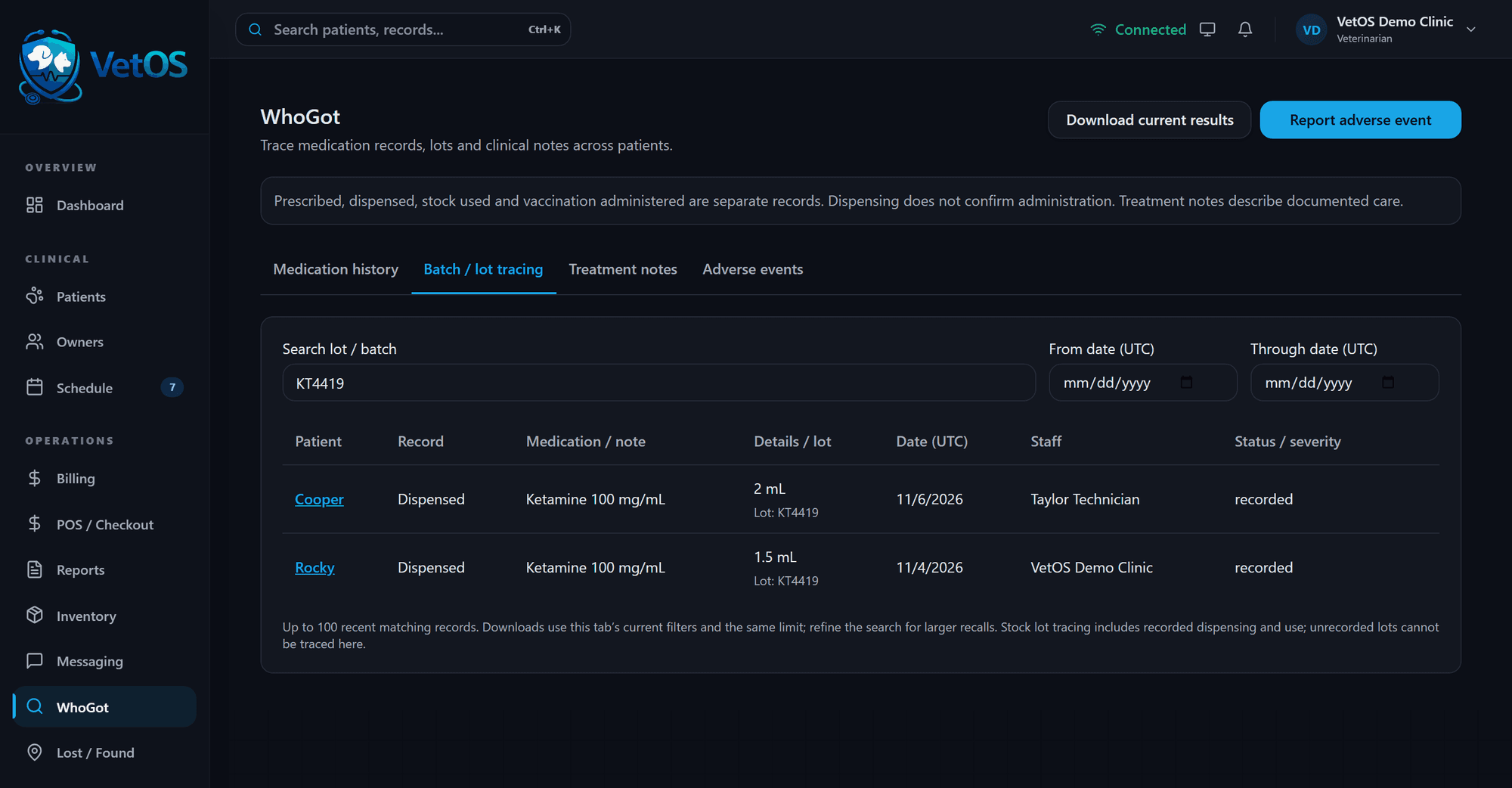
A drug lot gets recalled. Who got lot KT4419?
Type the lot number. VetOS lists every patient that received it, with the drug, the amount, the date and the staff member who recorded it.
The same screen searches by medication, by treatment note and by adverse event, and the results download as a file. Controlled drugs keep their own log, and disposing of one takes a witness.
How VetOS tracks drugs and inventory
Shown in dark mode. Every desktop screen comes in light and dark.
The forms fill themselves in.
Printed forms pull the pet, the owner, the visit and the prices from the chart. You check the page and print it.
- Visit summary
- Estimate
- Surgery consent
- Before and after surgery
- Medication schedule
- Records release
- Rabies certificate
- Bite report
- Receipt
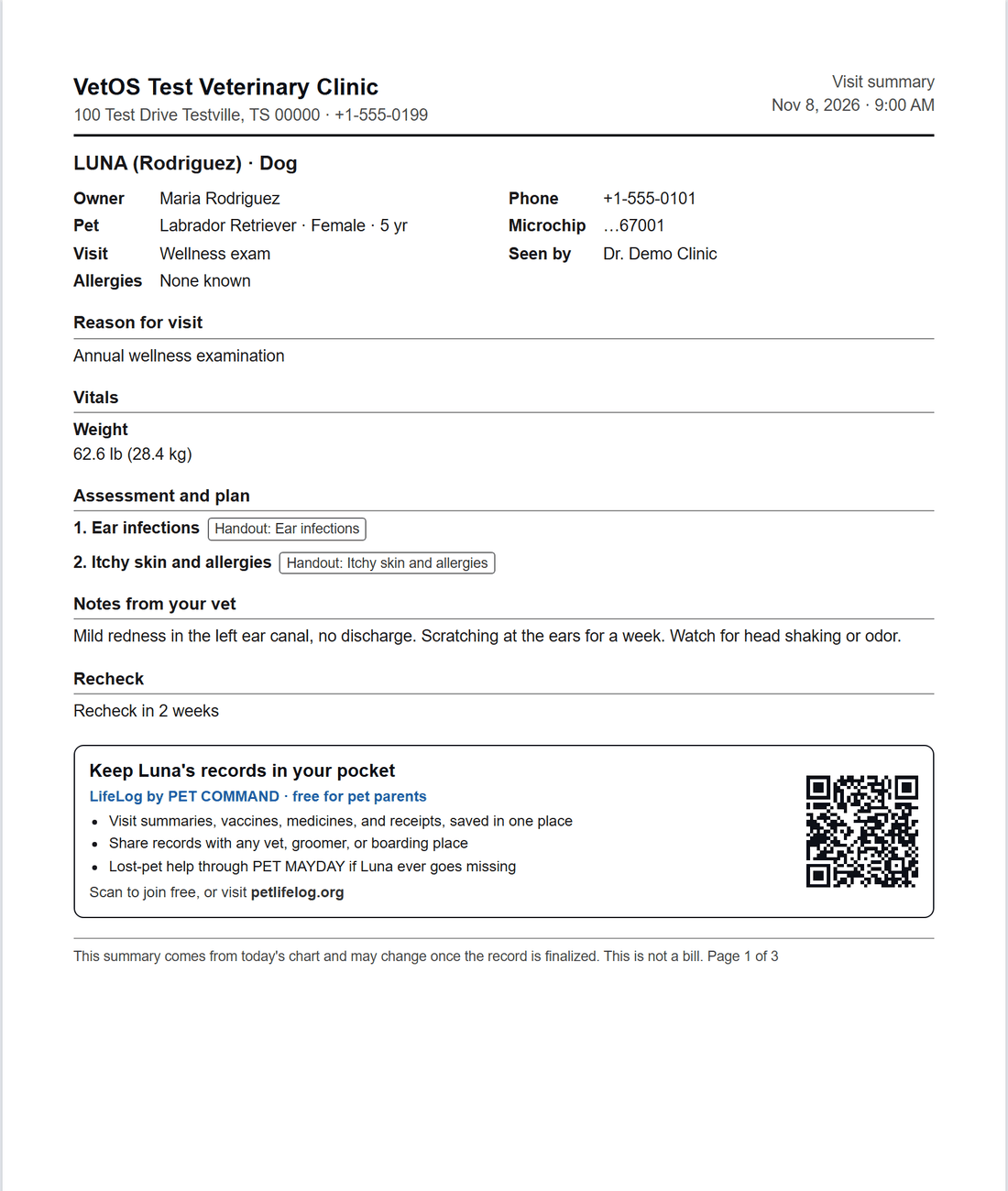
Clients leave with paper they can follow.
Visit summaries and medication schedules print from the chart in plain words, with a box to tick for every dose. They also invite owners to LifeLog, a free record of their pet they can carry.
New staff learn it inside the program.
Each role has its own access and its own training lessons. Shift handoffs and team messages stay in VetOS, and a log shows who did what.
And it goes with you.
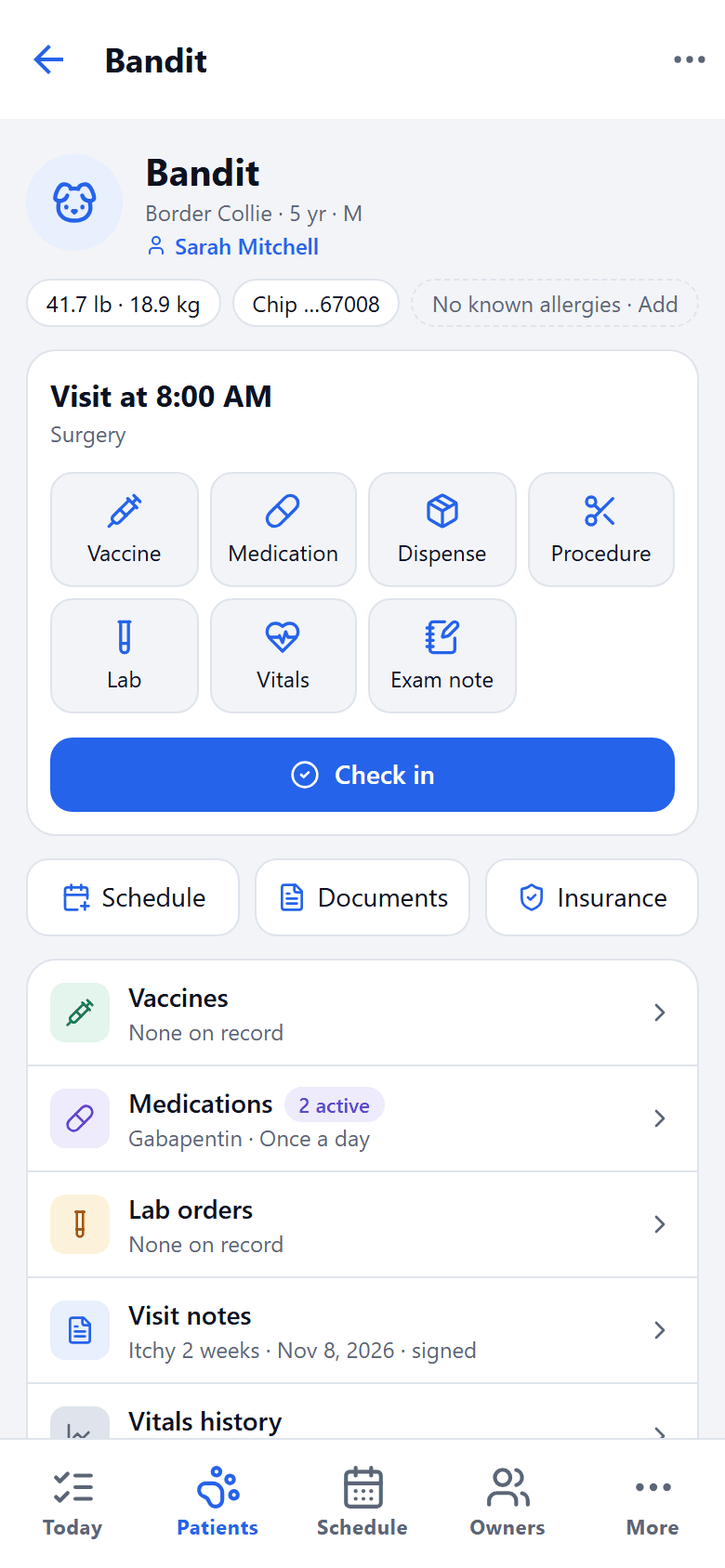
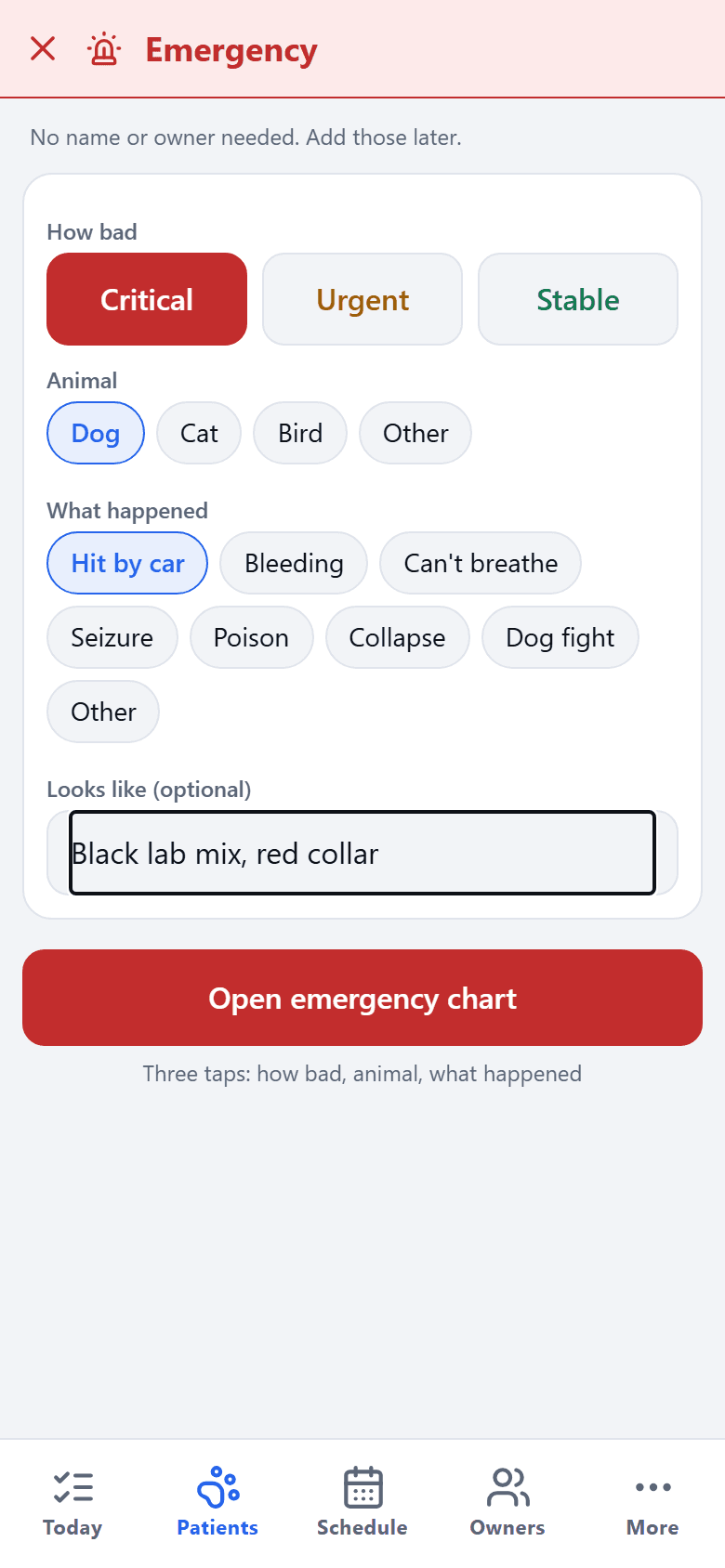
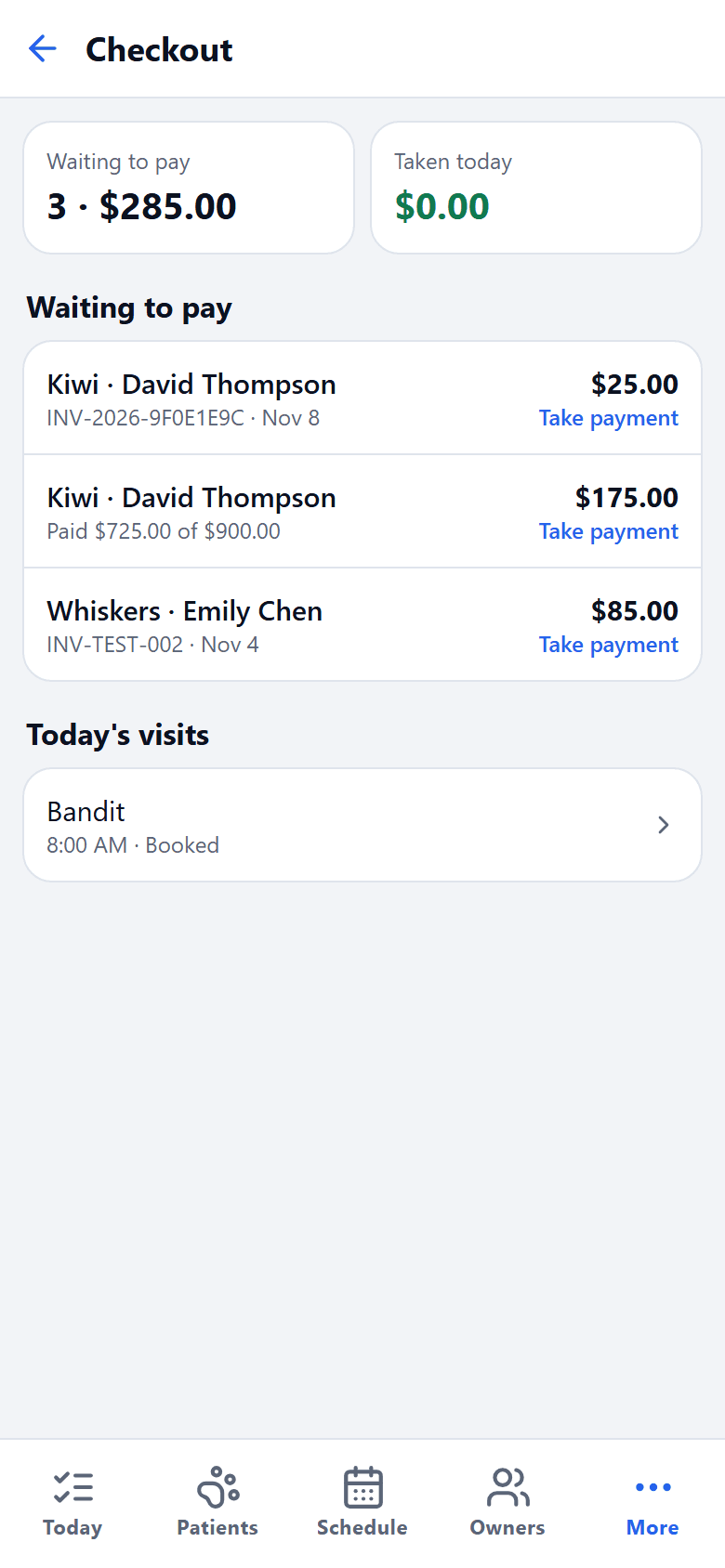
VetOS also comes as a phone app, on the same records as the desktop. Open a chart in the exam room, start an emergency in the parking lot, or check who still owes from home.
Straight answers before you ask.
- Does it charge cards?
- No. VetOS records how each bill was paid. You keep the card reader you already have.
- Does it work without internet?
- Not yet. VetOS needs an internet connection on the desktop and on the phone.
- Does it connect to lab machines?
- Not yet. You record the lab order in the chart and enter the results when they come back.
See it with your own clinic in mind.
Tell us about your practice, whatever its size, and we’ll walk you through VetOS on a call.
Ask for a walkthrough